Selfhosted

50711 readers
748 users here now

A place to share alternatives to popular online services that can be self-hosted without giving up privacy or locking you into a service you don't control.

Rules:

  1. Be civil: we're here to support and learn from one another. Insults won't be tolerated. Flame wars are frowned upon.

  2. No spam posting.

  3. Posts have to be centered around self-hosting. There are other communities for discussing hardware or home computing. If it's not obvious why your post topic revolves around selfhosting, please include details to make it clear.

  4. Don't duplicate the full text of your blog or github here. Just post the link for folks to click.

  5. Submission headline should match the article title (don’t cherry-pick information from the title to fit your agenda).

  6. No trolling.

  7. No low-effort posts. This is subjective and will largely be determined by the community member reports.

Resources:

Any issues on the community? Report it using the report flag.

Questions? DM the mods!

founded 2 years ago
MODERATORS
1


Hello everyone! Mods here 😊

Tell us, what services do you selfhost? Extra points for selfhosted hardware infrastructure.

Feel free to take it as a chance to present yourself to the community!

🦎

2


https://kb.synology.com/en-global/DSM/tutorial/Docker_container_cant_access_the_folder_or_file#x_anchor_idcd3f1170a3

Why allow "everyone" to have read write permission to shared folders in order to run container manager? Wouldn't this be insecure?

3
4
5


In the latest episode of "they will always sell you out" - they sold you out! Who would've thought.

Hoping for a good alternative client to appear, the writing is on the wall. Vaultwarden can't exist without "leeching" off of Bitwarden.

6


Recently I've installed luci-app-banip on my OpenWrt router and blocked most countries from accessing my services on my network. Not seeing why I would want any of that traffic I also blocked the whole of the ARIN registry, responsible for IP addresses from Canada and the United States.
Edit: Note this is only for inbound traffic. Outbound traffic is allowed no matter the target country.

Fast forward a few weeks and my certbot renewals fail with the following error: Failed to renew certificate enter.domain.here with error: HTTPSConnectionPool(host='acme-v02.api.letsencrypt.org', port=443): Read timed out. (read timeout=45)

Confused af I start looking for solutions and as so often only find useless or completely ridiulous solutions (lowering my MTU to 1300, what? WHY?). Finally I find some enlighted figure that says they recently enabled a blocklist for certain countries and that was the issue for them.
Now I make the connection to my use of banIP, re-allow the USA and my cert renewals start working again. Hooray!

However, there are two things bothering me:

  1. Why would such a block even interrupt my renewals? I'm using DNS challenges and the ACME servers should only check the DNS entries, not where those entries actually redirect to. The DNS server/root isn't in my home network, so isn't affected by any firewall shenanigans I do here.
  2. How can I make an exception for the Let's Encrypt ACME servers while blocking the rest of the ARIN IP space?

I see there's the option for ASN selection and external allowlists:

Does anybody have an idea on how to configure this so that Let's Encrypt continues to work without compromising on my network security?

(Edit: And just for clarity, I do not live in the US or anywhere on the American continent.)

7


Is there a good android app thats dedicated to reading epubs from your ABS instance? I dislike a lot of things about the native reader in the native app and was wondering if there is something ('Still' seems good but its just for ios)

I usually use ReadEra for reading epubs (which is awesome) but i like the aspect of having my own cloud, not having to download every file manually and syncing my reading status.

Does not need to be free, I am willing to do one-time-payments for a good android reader app that connects to my ABS.

8


Our family watches TV trough IPTV and via streaming services and it's been fine enough for quite some time. However, now one of our broadcast companies got in a fight about streaming contract with our IPTV provider and we lost a few of the channels. Not that big of a deal for me personally, but apparently there's some shows the rest of the family wants to see. This isn't the first time and likely it won't be the last.

However, all the free channels are available over air as well (and that's one excuse for IPTV operators to exclude offerings, "you can watch it anyway"). We have an antenna, but previous house owners just left the cable loose at the outside wall and brough it trough a hole in window frame. I've removed the cable and patched the hole for it and it'd be pretty difficult to run antenna cable to our TV set cleanly. However, I could pull a new cable nearby to my server stack with reasonable effort.

It's been quite a while since I've played with capture cards and any kind of streaming, so maybe hive mind here has some ideas. TV already has Android TV box connected, so anything that works with it is a bonus, but not a requirement.

So, what software (and hardware) I could use to pull video from DVB-T2 and stream that over local network?

9


Update your nginx instances

cross-posted from: https://lemmy.world/post/46851448


CVE - Common Vulnerabilities and Exposures system
RCE - Remote Code Execution
PoC - Proof of Concept

10


Do you have any advice or suggestions about it?

  • Hardware (what should be enough for a local PC, or VPS...)
  • Software (OS [Debian, Yunohost, other...], "containerization" (Docker, virtual machines?), dashboard, management, backups, VPN tunneling...)
  • "Utilities" to host (Lemmy, Peertube, Matrix, Mastodon, Actual Budget, Jellyfin, Forgejo, Invidious/Piped, local Pi-Hole, email, dedicated videogame servers like for Minecraft, SearXNG, personal file storage like Drive, AI [in the future, when I can afford a rig that can run a local model decently]...)

I'm aware it's a lot of stuff to take on, so, do you have any advice on where to start? (how to find a cheap PC to experiment with, if not get a VPS, what to test on it, what "utilities" to try self-hosting first...)

11
5
My personal Simple Dashboard (downonthestreet.eu)
submitted 1 day ago* (last edited 1 day ago) by Shimitar@downonthestreet.eu to c/selfhosted@lemmy.world


Hi all, for my own selfhosting needs i looked into many different dashboards, but none really fit my bill.

I want a dashboard that:

  • super lightweight
  • has no server-side requirements
  • can be edited with a single text file
  • simple CSS to adapt to your style

and so, of course, i developed my own. After a few years of usage, i upgraded it to AlpineJS (previously uglier code on jQuery) and i am proudly making it public for anybody who might be interested.

Here it is: https://github.com/gardiol/dashboard/

(the project was released on github long ago, but i never wrote about it anywhere IIRC, also i might migrate to Codeberg in the future, so do not bash me for Github)

There is a quite long readme, it's GPLv3, and aboslutely zero lines of AI / Vibe coding. I used AI for research and quick support specially on how to format CSS (which i kind of despise) but nothing else.

As a bonus, there is also a CGI system made in bash (totally optional) that i use for local monitors, but it's kinda messy and really not ready for broader use, so you can ignore the "monitor" subfolder or delete it completely.

Anyway, here it is, hope someone could make use of it.

12


cross-posted from: https://sh.itjust.works/post/60171730

Hey y'all, looking to land my first DevOps Engineering role soon, and figured I should use enterprise software as much as possible for some resume building and personal practice. For reference, I've set up a NAS server once before but haven't got too much experience outside of that. Basing this on some DevOps Engineers I've talked to IRL and some friends who hire engineers, but wanted extra community feedback.

Use case: parents are data hoarders, probably have at least 4tb saved composed of every type of media you can think of, so hopefully the whole family can use this when I'm done with it all. Otherwise, aiming to be able to claim experience with enterprise grade DevOps software.

Some of this is personal research, a lot of Reddit research, and some LLM comparisons used to choose between two software systems. Please let me know what you'd keep or change! I'm still kinda new to this :p

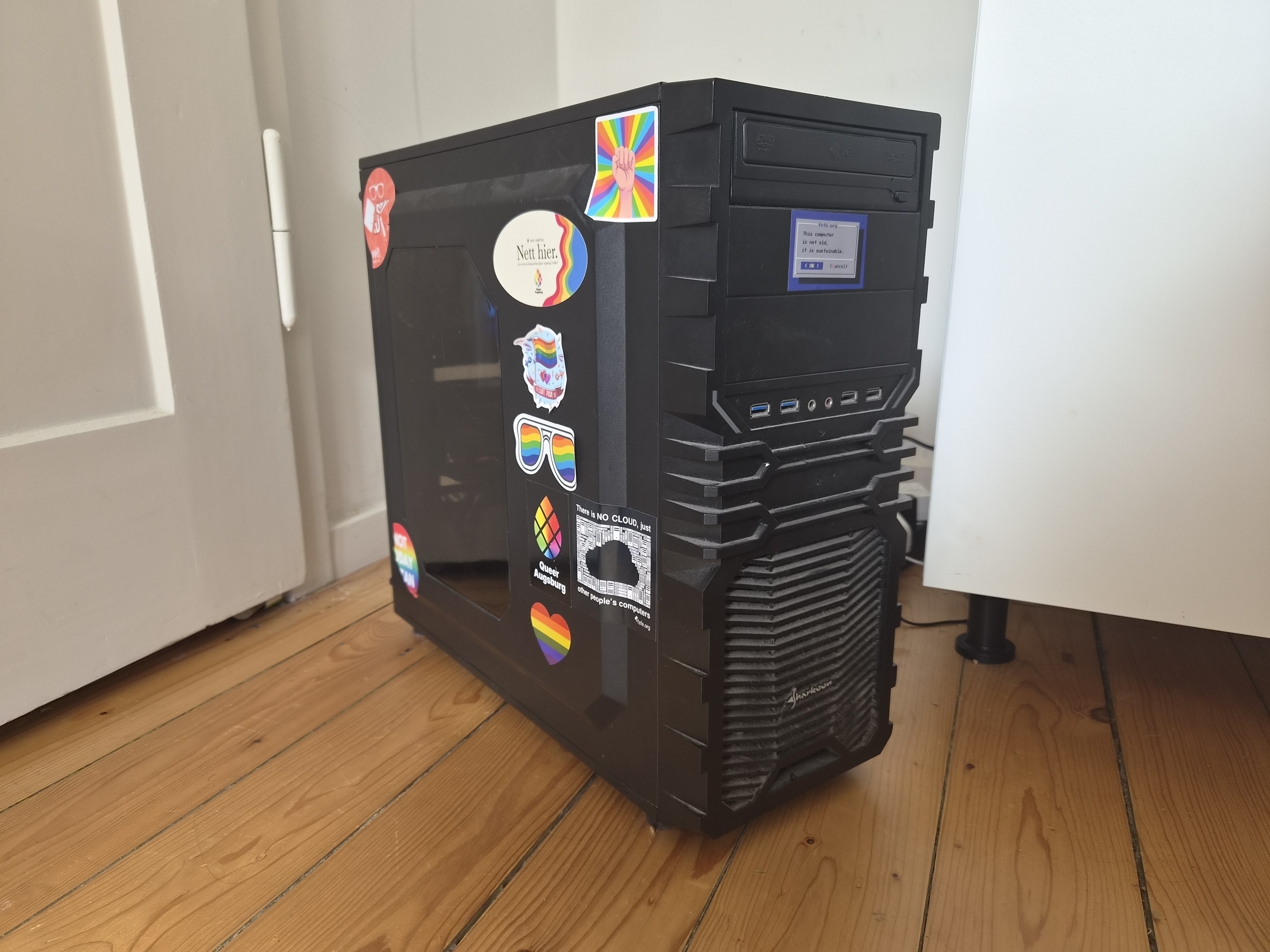
Hardware: (old gaming pc)

  • Intel i5-9600K
  • 32GB DDR4 RAM
  • GTX 1070
  • Gigabyte Z370XP SLI
  • Seagate IronWolf 12TB 3.5" SATA

Hypervisor & OS:

  • Proxmox VE (type-1 hypervisor)
  • Ubuntu Server 24.04 LTS (VM operating system)
  • cloud-init (VM provisioning automation)

Infrastructure as Code & Automation:

  • Terraform (infrastructure provisioning)
  • Proxmox Terraform Provider (VM automation)
  • Ansible (configuration management)
  • GitHub Actions (CI/CD pipelines)

Containerization & Orchestration:

  • Docker (container runtime/builds)
  • Kubernetes/k3s (container orchestration)
  • Helm (Kubernetes package manager)
  • ArgoCD (GitOps continuous deployment)

Networking & Ingress:

  • Traefik (ingress controller/reverse proxy)
  • MetalLB (bare-metal load balancer)
  • cert-manager (TLS certificate automation)
  • WireGuard (VPN software)
  • Surfshark (VPN service)

Secrets & Security:

  • HashiCorp Vault (secrets management)
  • External Secrets Operator (Kubernetes secret syncing)
  • SSH hardening (secure remote access)

Observability & Monitoring:

  • Prometheus (metrics collection)
  • Grafana (monitoring dashboards/visualization)
  • Loki (centralized log aggregation)
  • Promtail (log shipping agent)
  • Alertmanager (alert routing/notifications)

Storage & Backups:

  • ZFS (filesystem/storage management)
  • NFS (network storage)
  • Persistent Volumes/PVCs (Kubernetes storage)
  • Restic (encrypted backups)
  • Velero (Kubernetes backup/disaster recovery)

Container Registry & CI Infrastructure:

  • GitHub Container Registry or Harbor (container registry)
  • GitHub Runner (self-hosted CI runner)

AWS Emulation:

  • LocalStack (AWS cloud emulation)
  • Terraform AWS Provider (AWS IaC practice)
  • MinIO (S3-compatible object storage)

Self-Hosted Applications:

  • Prowlarr (indexer manager)
  • Sonarr (TV show management automation)
  • Radarr (movie management automation)
  • LazyLibrarian (book management automation)
  • Lidarr (music management automation)
  • Homarr (application dashboard)
  • Seerr/Overseerr (media request management)
  • Jellyfin (media server)
  • qBittorrent (torrent client)
  • NZBGet (Usenet downloader)
  • Immich (photo gallery & backup)
  • Mealie (meal planner)
  • Moonlight (low-latency remote gaming)
  • Kavita (ebook/manga/audiobook reader)
  • Funkwhale (music streaming)
  • Grafana (monitoring dashboards)
13


Alright so my lab is pretty much functionally complete; it does everything I was hoping it would and much more.

OK so now what :D Do you know of any projects that are self-hostable and serve no functional purpose whatsoever and exist just for fun? Could be silly projects, could be games. I'd like to add a "silly things" section to my publicly facing list of web services.

For instance, I was thinking of hosting a web version of nethack. Also I enjoyed hosting a node of hypermind for a little while just because it was so silly.

14


This release brings three main changes.

  1. The ability to filter links.
  2. Support for an optional notes field.
  3. Ability to edit expiry time and notes.

I try not to too many new features to avoid bloat, but it seemed like these were pretty useful for a link shortener, especially when managing thousands of short links. (To my surprise, some people even use it to manage millions of links.)

Please take a look at the release notes for a complete list of changes.

P.S. The next thing I'll be focusing on is improving throughput under sustained load. If anyone has experience with SQLite, feel free to drop any tips. All the db related code is here. I'm mostly interested in improving insert speeds when 1000s of inserts are done per second.

Edit: There's a Codeberg mirror as well.

15


Lots of layoffs ("re-evaluating our operational footprint") and switching to "agentic" processes. Target user is AI.

Anyone still hosting Gitlab?

16


What to people use and recommend for this? I've read a bit about portainer, but I'm still learning - and don't know what the best solutions are.

Today I have a handful of selfhosted services running on my home machine - mostly installed directly, but a couple running as docker containers. As the scale of my selfhosting has grown, I've realized that things would be a lot easier to manage if each service was run as its own container, so that installed services are isolated.

The solution I'm looking for would make it easy (possibly a web UI) for me to monitor, modify, update, and remove containerized services, including networking and storage.

Edit: Also I would only want a FOSS solution.

17


I wanted to move away from Tailscale but found Headscale a bit too convoluted for what I actually needed.

Ended up with a simple WireGuard setup using two VPSes: one as a VPN hub, the other acting as a reverse proxy back into my home lab.

It lets me expose services publicly without any inbound port forwarding on my home connection.

18


except for nor using it at all, of course.

So I want to make my homelab IPv6 ready, because I have too much free time, i guess. There are two decisions that I'm currently unsure about:

  1. ULA or not. Do you have local only addresses or do your clients communicate using the global IPv6 address? Does not using ULAs work without a static IP from the ISP?
  2. DHCPv6 or is SLAAC enough?

For each question both options seem to be possible and I'm interested in your experience

Cheers

19
20


FreshRSS is a selfhosted RSS feed management tool, which is compatible with a number of open source mobile apps

Excerpts from the Changelog:

A few highlights ✨:

  • Implement support for HTTP 429 Too Many Requests and 503 Service Unavailable, obey Retry-After
  • Add sort by category title, or by feed title
  • Add search operator c: for categories like c:23,34 or !c:45,56
  • Custom feed favicons
  • Several security improvements, such as:
    • Implement reauthentication (sudo mode)
    • Add Content-Security-Policy: frame-ancestors
    • Ensure CSP everywhere
    • Fix access rights when creating a new user
  • Several bug fixes, such as:
    • Fix redirections when scraping from HTML
    • Fix feed redirection when coming from WebSub
    • Fix support for XML feeds with HTML entities, or encoded in UTF-16LE
  • Docker alternative image updated to Alpine 3.22 with PHP 8.4 (PHP 8.4 for default Debian image coming soon)
  • Start supporting PHP 8.5+
  • And much more…
21


(Apologies in advance if this is the wrong spot to ask for help, and/or if the length annoys people.)

I'm trying to set up 2FAuth on a local server (old Raspberry Pi, Debian), alongside some other services.

Following the self-hosting directions, I believe that I managed to get the code running, and I can get at the page, but can't register the first/administrative/only account. Presumably, something went wrong in either the configuration or the reverse-proxy, and I've run out of ideas, so could use an extra pair of eyes on it, if somebody has the experience.

The goal is to serve it from http://the-server.local/2fa, where I have a...actually the real name of the server is worse. Currently, the pages (login, security device, about, reset password, register) load, but when I try to register an account, it shows a "Resource not found / 404" ("Item" in the title) page.

Here's the (lightly redacted) .env file, mostly just the defaults.

APP_NAME=2FAuth
APP_ENV=local
APP_TIMEZONE=UTC
APP_DEBUG=false
SITE_OWNER=mail@example.com
APP_KEY=base64:...
APP_URL=http://the-server.local/2fa
APP_SUBDIRECTORY=2fa
IS_DEMO_APP=false
LOG_CHANNEL=daily
LOG_LEVEL=notice
CACHE_DRIVER=file
SESSION_DRIVER=file
DB_CONNECTION=sqlite
DB_DATABASE=/var/www/2fauth/database/database.sqlite
DB_HOST=
DB_PORT=
DB_USERNAME=
DB_PASSWORD=
MYSQL_ATTR_SSL_CA=
MAIL_MAILER=log
MAIL_HOST=my-vps.example
MAIL_PORT=25
MAIL_USERNAME=null
MAIL_PASSWORD=null
MAIL_ENCRYPTION=null
MAIL_FROM_NAME=2FAuth
MAIL_FROM_ADDRESS=2fa@my-vps.example
MAIL_VERIFY_SSL_PEER=true
THROTTLE_API=60
LOGIN_THROTTLE=5
AUTHENTICATION_GUARD=web-guard
AUTHENTICATION_LOG_RETENTION=365
AUTH_PROXY_HEADER_FOR_USER=null
AUTH_PROXY_HEADER_FOR_EMAIL=null
PROXY_LOGOUT_URL=null
WEBAUTHN_NAME=2FAuth
WEBAUTHN_ID=null
WEBAUTHN_USER_VERIFICATION=preferred
TRUSTED_PROXIES=null
PROXY_FOR_OUTGOING_REQUESTS=null
CONTENT_SECURITY_POLICY=true
BROADCAST_DRIVER=log
QUEUE_DRIVER=sync
REDIS_HOST=127.0.0.1
REDIS_PASSWORD=null
REDIS_PORT=6379
PUSHER_APP_ID=
PUSHER_APP_KEY=
PUSHER_APP_SECRET=
PUSHER_APP_CLUSTER=mt1
VITE_PUSHER_APP_KEY="${PUSHER_APP_KEY}"
VITE_PUSHER_APP_CLUSTER="${PUSHER_APP_CLUSTER}"
MIX_ENV=local

Then, there's the hard-won progress on the NGINX configuration.

server {
    listen 80;
    server_name the-server.local;
# Other services
    location /2fa/ {
        alias /var/www/2fauth/public/;
        index index.php;
        try_files $uri $uri/ /index.php?$query_string;
    }
    location ~ ^/2fa/(.+?\.php)(/.*)?$ {
        alias /var/www/2fauth/public/;
        fastcgi_pass unix:/var/run/php/php8.3-fpm.sock;
        fastcgi_split_path_info ^(.+\.php)(/.*)$;
        set $path_info $fastcgi_path_info;
        fastcgi_param PATH_INFO $path_info;
        fastcgi_index index.php;
        fastcgi_param SCRIPT_FILENAME $document_root/$1;
        include fastcgi_params;
    }
# ...and so on

I have tried dozens of variations, here, especially in the fastcgi_param lines, almost all of which either don't impact the situation or give me a 403 or 404 error for the entire app. This version at least shows login/register/about pages.

While I would've loved to do so, I can't work with the documentation's example, unfortunately, because (a) it presumes that I only want to run the one service on the machine, and (b) doesn't seem to work if transposed to a location. They do have the Custom Base URL option, but it doesn't work. That just gives me a 403 error (directory index of "/var/www/2fauth/public/" is forbidden, client: 192.168.1.xxx, server: the-server.local, request: "GET /2fa/ HTTP/1.1", host: "the-server.local", and again I emphasize that the permissions are set correctly) for the entire app, making me think that maybe nobody on the team uses NGINX.

Setting both NGINX and 2FAuth for debugging output, the debug log for NGINX gives me this, of the parts that look relevant.

*70 try files handler
*70 http script var: "/2fa/user"
*70 trying to use file: "user" "/var/www/2fauth/public/user"
*70 http script var: "/2fa/user"
*70 trying to use dir: "user" "/var/www/2fauth/public/user"
*70 http script copy: "/index.php?"
*70 trying to use file: "/index.php?" "/var/www/2fauth/public//index.php?"
*70 internal redirect: "/index.php?"

And the Laravel log is empty, so it's not getting that far.

Permissions and ownership of 2FAuth seem fine. No, there's no /var/www/2fauth/public/user, which seems to make sense, since that's almost certainly an API endpoint and none of the other "pages" have files by those names.

I have theories on what the application needs (probably the path as an argument of some sort), but (a) I'm not in the mood to slog through a PHP application that I don't intend to make changes to, and (b) I don't have nearly the experience with NGINX to know how to make that happen.

It seems impossible that I'm the first one doing this, but this also feels like a small enough problem (especially with a working desktop authenticator app) that it's not worth filing a GitHub issue, especially when their existing NGINX examples are so...worryingly off. So, if anybody can help, I'd appreciate it.

22


Does anyone have any experience in successfully self-hosting Signal server using docker?

Thanks in advance.

23


Hi! I've never built a NAS before and only one custom gaming PC, so I'd love if any of you more experienced folks could take a look at my parts selection and possibly suggest better options.

Of course first my use cases:

  • Nextcloud
  • Immich
  • Jellyfin
  • Possibly more, similar to the above

Planning on using Truenas with a Raidz (1? - 1 disk failure tolerance) and running most of my stuff in Docker containers. The amount of users will likely stay at or below 3, certainly at or below 5, so it doesn't need to handle that much.

Here's my parts list:

  • CPU: AMD Ryzen 5 Pro 4650G
    • iGPU, power efficient, AM4 so cheaper, performant enough (I think)
  • Case: Jonsbo N3
    • This is the component I started with, since I really like the form factor. It did limit my choice on motherboards heavily though.
  • Motherboard: Gigabyte A520I AC
    • I was trying to go for one with ECC memory support, but at least on pcpartpicker I struggled to find ones at this form factor supporting it. However from reading through Forum threads ECC isn't critically important for a more "casual" build like mine, just a nice-to-have.
  • Memory: Found about 16GB of DDR4 in my old pc, they worked before so I didn't bother looking at them in detail
    • Cheap
  • Storage:
    • OS: Western Digital Black SN770 1 TB M.2-2280
      • Where I live the 500GB version is actually more expensive
    • Cache: Samsung 870 Evo 500 GB
      • Cheap enough, although if I can combine this with the OS drive, then even better
    • Primary Storage: 4x Seagate IronWolf Pro 8TB (ST8000NT001)
      • I have to admit, I can't recall why I settled on these. 8TB seemed good for price-to-size and I didn't want the server ones despite them actually being cheaper because they're extremely loud apparently, but why Pro and not non-pro and why this exact model... I can't recall, I just remember having a headache that afternoon TwT

I realize I left out the cooler and psu as I don't think they're particularly relevant here, I can deal with those myself. Price-wise, I am going by German prices and parts availability. On any of the parts listed, or if I forgot anything else though, I would love advice on the quality of my decision and how to improve it, thanks <3

24
16
submitted 8 months ago* (last edited 8 months ago) by JohnWorks@sh.itjust.works to c/selfhosted@lemmy.world


If you've been wanting to get scrobbling history and recommendations similar to spotify without having to be subbed to spotify you can go about this process to get your spotify listening history imported into Listenbrainz.

Listenbrainz does have a settings page to import spotify history but it is not implemented yet so this process can be used to import now. I went through and was able to get my listening history imported over although I needed to update the script that filters out skipped songs. You'd need to update the X to however many json files spotify gives you for your listening history and then also update the start date to your first listen on your current listenbrainz history.

#!/bin/bash

MIN_DURATION=30000

START_DATE="YYYY-MM-DDTHH:MM:SS"


for i in {0..X}; do
    input_file="parsed_endsong_$i.json"

    output_file="filtered_endsong_$i.jsonl"

    elbisaur parse "$input_file" \
        --filter "skipped!=1&&duration_ms>=$MIN_DURATION" \
        -b "$START_DATE" \
        "$output_file"
    fi
done

Or make your own script that'll work better or maybe the one listed in the article works for you ¯\(ツ)

25


I have a Proxmox server running two Opteron 6272 CPUs on an Asus KGPE-D16 (chosen because it was the fastest computer that supported Libreboot, although I haven't gotten around to installing it). Using normal BIOS settings, it's drawing just under 100W at idle, measured via smart plug reported in Home Assistant. With aggressive efficiency settings (PowerCap to P-state 4 and disabling CPU 2 entirely) it idles at 70W. It's a server, not a gaming PC, so it doesn't appear to have any options for underclocking or adjusting voltage.

Anybody know of any other ways (maybe software-based) to get the power draw down further?

view more: next ›