cross-posted from: https://piefed.world/c/linux_gaming/p/977898/moving-existing-prefex-from-lutris-to-heroic
Hi all!
Bit of a noob question post, I'm having some troubles moving my existing Battle.net prefix from Lutris to Heroic. I'll walk through everything that may or may not be relevant below:I currently have Lutris installed via Flatpak:
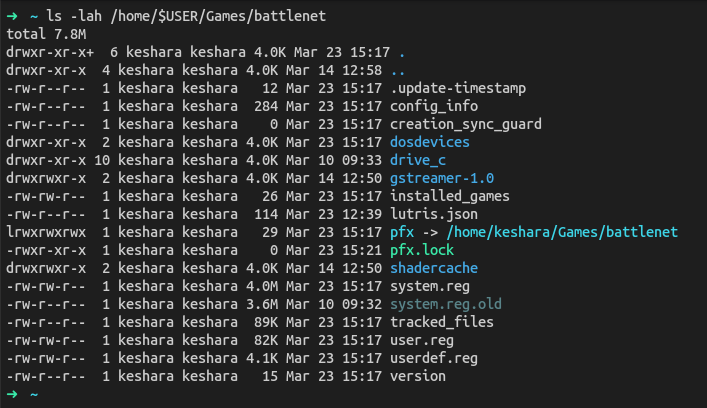
And my battle.net prefix at this location:
Heroic I have installed via the .deb on GitHub - Version 2.20.1
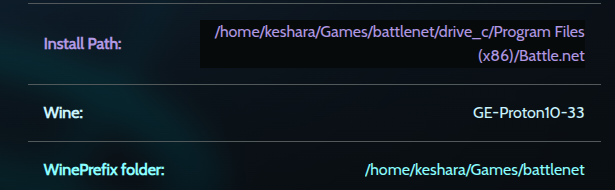
In Heroic, I added a new game, selected the existing prefix location, and selected the Battle.net Launcher.exe (just copied what was already setup in Lutris), and selected GE-Proton10-33:
Now when I try to launch Battle.net through Heroic, the status will change from Launching to Playing, and I do see the Battle.net icon flicker into existence for a split second on my task bar, however Battle.net client doesn't actually launch.
For reference also, I'm currently using Ubuntu 25.10.
Any advice on this issue would be greatly appreciated! Thank you!

Thanks for the response. I wanted to put more thought into it as it made absolutely no sense to me why using a different launcher (Heroic vs Lutris) would break anything. It's the same version of Proton, prefix is already configured, we're just pointing to exe's really from here.
Turns out the clue was the 2 different install methods - Flatpak and native .deb.
I was just missing the 32bit Vulkan drivers, I'm assuming these are included in the Flatpak, but I needed them for the native install of Heroic. Once I installed these, problem solved and WoW is happily running again