CalyxOS

382 readers
2 users here now

founded 5 years ago
1
2


Dear CalyxOS community members,

The last few months have been especially challenging for us as we have experienced some changes within our teams and in the Android free and open-source (FOSS) development community.

Nicholas Merrill, president and founder of Calyx Institute, has left the organization to pursue other projects.

Nick has championed privacy and data security over the last 25 years, and we thank Nick for his decades-long leadership, guidance, and contributions.

Chirayu Desai, the CalyxOS Tech Lead, has addressed his departure from the CalyxOS project and the organization in a personal note to the public.

We also want to express gratitude to Chirayu for his enthusiasm and incredibly hard work on CalyxOS.

Nick and Chirayu have been a part of the CalyxOS project and its global community for many years. Without a doubt, there is a gap to fill following their departure. Following their departure, there will be a period of transition as we move forward. During that time, Calyx Institute’s Interim Executive Director, Ellen McDermott, will continue to lead the organization’s important work while the CalyxOS team will focus on bridging the gap and recentering our efforts.

Our commitment to our mission has not changed: defending digital privacy, advancing connectivity, and striving for a future where everyone has access to the resources and tools they need to remain securely connected. CalyxOS is an integral part of our work and stands at the center of the FOSS digital ecosystem we aspire to create. It is our responsibility to protect the privacy of current and future users of our technologies.

To ensure operational consistency during this transition and adhere to security best practices, our team is working to improve transparency and security through better design, communications, and infrastructure. Our ongoing priorities include:

Upgrading the tech infrastructure supporting CalyxOS development
Stabilizing update release cycles for our 25+ supported devices
Revising and updating our usage and development documentation, wiki, and user guides

To fulfill our community pledge and foster collaboration, information sharing, and inclusivity, we are engaging with our peers, partners, and security experts to ensure the delivery and integrity of all changes made during this process. After conducting a thorough inspection of the work required for successful completion of the above priorities, we have determined that it may take up to four to six months for us to provide the level of security maintenance we aim to deliver.

We will be switching to new signing keys along with the overhaul of the signing and verification process. As a result, current CalyxOS users will not be able to receive further security software updates until this process is in place.

Given the potential risk posed by the pause of maintenance and development, it’s logical that we stop providing options to install CalyxOS for now. This was an incredibly hard decision to make, and we understand that this decision may cause significant difficulties for our users. For those wishing to remain on CalyxOS until our next release, note that you will not have the latest security patches on your device as released from the Android Open Source Project and from any proprietary sources provided by device manufacturers. We sincerely apologize for the hassle brought to you by this change, and we understand if you need to uninstall CalyxOS and migrate to another privacy-protecting Android distribution in the meantime. If you wish to continue using CalyxOS in the future, please follow our updates to reinstall CalyxOS when it becomes available again.

We are committed to supporting you through this process. To assist any migration, we will publish, by August 6, instructions to back up and restore your phone to a stock or custom Android distribution with Seedvault.

Starting with this announcement, we will be reporting our progress regularly through our community channels, and we welcome your insights if you would like to contribute to this effort.

We thank you for your continued trust and look forward to further collaborations with people who have, are, and will be using and contributing to CalyxOS and various FOSS projects.

Yours sincerely, The Calyx team>

3


So, yesterday I installed CalyxOS(6.8.21) on my Fairphone 5. It worked like a charm! But unfortunately I wasn't able to install a lot of basic apps via the Aurora Store (4.7.0) like, Firefox, Brave, OsmAnd, etc. Nearly every App I tried to download, I got the error message that the application is not available for my Device.

Here is what I did to fix my Problem. Maybe it will help some others.

  1. I deleted Aurora Store and installed it again via F-Droid store.
  2. I deleted F-Droid Store and downloaded the newest APK. Repeated Step 1.

But what finally worked was to change the device in Auroras Spoof Manager.

Go to Settings > Spoof Manager > Change to Samsung Galaxy S24 Ultra.

I don't know if there are any downsides If you change to an other device than what you really have, or If other devices work too, but for my part I didn't encountered any errors. Every app works fine.

4


This moves throws a wrench in the development.

5
6
7
6
submitted 1 year ago* (last edited 1 year ago) by Rodneyck@lemm.ee to c/calyxos@lemmy.ml
 
 
  • CalyxOS 6.7.23 - May 2025 Feature update for all supported devices

  • Smaller update as we prepare for Android 16 with upstream release due next week

8


You may have noticed that the latest CalyxOS - 6.6.23 - doesn't support charge control anymore. See here for details.

This is mighty annoying, but I understand it will come back. In the meantime, if you want to limit the charge of your battery, you can use one of these little doodads.

They're not ideal because they require Bluetooth, the charge constantly flucturates some percentage points around the target charge level, and they disconnect the data link each time they cut off. But it's better than nothing until proper charge limiting is reintroduced in CalyxOS.

9


I don't know enough to tell from these specs, can anyone tell if Calyx will install on these?

10


The upgrade dropped last night for me. Never thought I would see android 15 on my old 4a5G. Runs smooth, not need to buy a new phone yet.

11


Hello ! Google is deploying an update on pixel 4a which can have a huge, and bad, effect on battery : https://www.androidpolice.com/surprise-google-pixel-4a-update-might-lead-to-battery-replacement/

I have 2 pixel 4a, 1 with calyxos and 1 on android stock. My android stock got the update, and I got a warning pop-up and issue with my battery since the update.

Does calyx will deploy this ? I hope no :)

Do you know if I can correct my issue by installing calyxos instead of updated android stock ?

Thanks ! (And sorry for my English).

12


So, the grapheneOS project uses the CalyxOS backup tool, so far so good. Can I backup my GrapheneOS data via that backup tool, flash CalyxOS on my phone, and load the backup from there? Is there any other way of preserving as much of my data as possible?

13


of course, on stock android with gms, verizon hotspot does not work at all (says to purchase it and blocks you)

on calyx it used to work fine and i would get around their throttling using powertunnel (a tool that obfuscates traffic)

recently i have had issues though:

  • hotspots have no internet access
  • using powertunnel also causes me to have no internet access

another thing is i have noticed some other blockings:

  • orbot is no longer working for me
  • riseupvpn is no longer working for me
  • all ooni probe tests fail
14
15


Hello, I'm a new user of CalyxOS and wanted your opinion about Google Camera and Signal.

I'm afraid of battery draining with Signal so I installed MigroG.

For google camera, I don't want to use google photo. So I can't directly open photos taken with Gcam with my gallery app. I installed Gcam photo preview but it's not really good IMO (I can't edit/share/delete).

Before calyx, I used Gcam-Services-Provider (without micoG), works like a charm !

So I wanted to know, do you have draining battery without microg ? Do you find a way to open photo with another app without google photo ?

thanks !

16


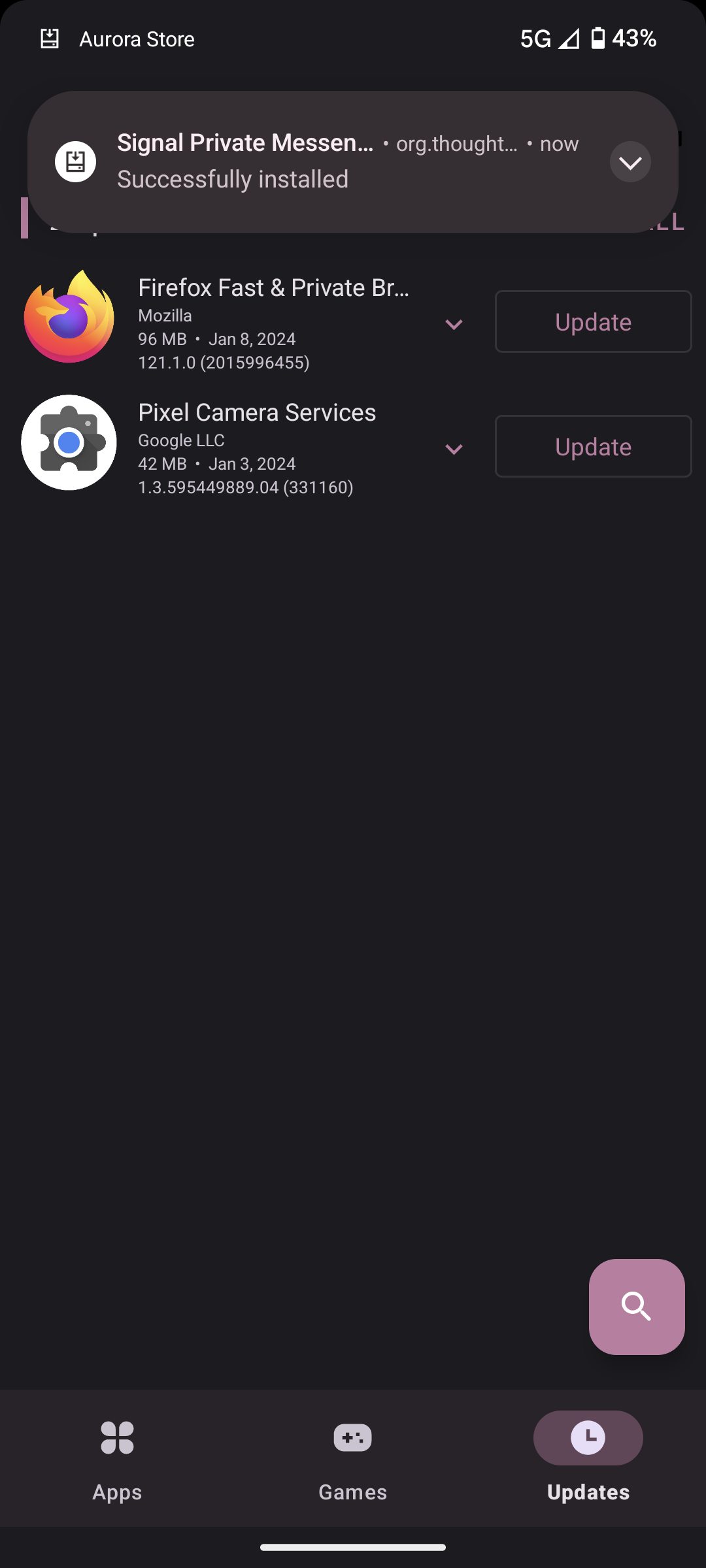
why is pixel camera services in my updates list? i don't use the google camera
17


As a happy user of calyx for over two years I am in the process of setting up one for my child as well.

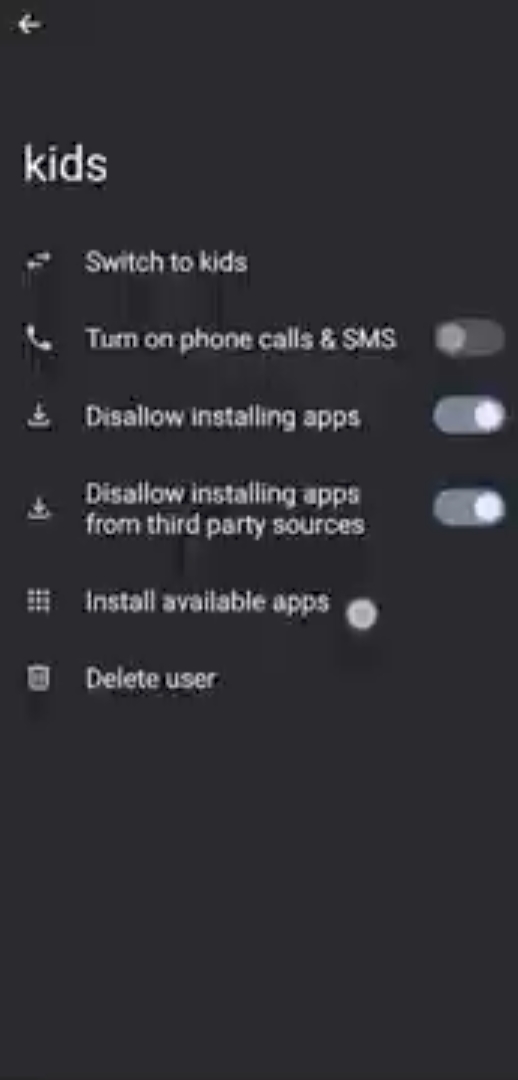
While I was researching my options for admistrating a childs phone as a parent, I came across this graphene video, where it is shown how to set up user profiles (a feature I wasn't even aware of).

https://www.youtube.com/watch?v=dPXu-XKxBT4
1000007242

He said the feature is actually part of upstream AOSP as well, so I was looking for it in calyx.

Nope, just one option to disable calls and sms and none of the other useful features, like disallowing to install app and so on.

Are those options features from graphene, or aren't they just not (yet) ported from aosp to calyx?

Thanks!

18


I'm bummed about the lack of update activity on this channel. I'm super happy with the os, though. Who is the mod? Maybe s/he can add a bot to repost from reddit?

19
3
CalyxOS on FP4 (discuss.tchncs.de)
submitted 2 years ago* (last edited 2 years ago) by jane232@discuss.tchncs.de to c/calyxos@lemmy.ml


Hello fellow friends, I have a FP4 currently running on /e/os, but in the mean time since installing, there where some pretty annoying design decisions and bugs.

Can anyone describe their experience with calyxOs?(Optionally on the FP4)

Are you happy or do you have some points of criticism?

20


4a5g died. Installed again on a 7. Once again super easy install. Thank you for that. I'm donating Friday when paid.

21


Hey! How do I change the gesture needed to answer a phone call. Right now I do it by swiping upwards, but this results in me answering the phone any time I pull the phone out of my pocket to see who is calling, which is of course very unfortunate if I don't actually want to talk to them.

22


CalyxOS 4.9.4 - Feature update is now available for the Pixels, Fairphone 4, and SHIFT6mq

It's currently in the beta and security express channels.

It'll be released to stable on Monday, June 5 if all goes well. Changelog

CalyxOS 4.9.4

Feature update

Restrict USB improvements

AGPS: Allow controlling XTRA / PSDS location info download through the existing "Assisted GPS" toggle in Settings

Camera app: Bugfixes and improvements

Clock app: Redesign digital clock widget

Work profile: Improve creation flow for new work profile

Chromium: 113.0.5672.131 (114 coming soon)

Pixel 6 - 7a

GPS: Big performance improvements by adding configuration for PSDS servers, can disable through the existing "Assisted GPS" toggle in Settings.

Pixel 3 - 5, FP4, SHIFT6MQ

Prevent qualcomm's xtra-daemon from accessing the serial number

Note

Over-the-air Updates: CalyxOS updates are delivered over-the-air (OTA) automatically, without any manual intervention needed. However, if you'd like to manually update your CalyxOS install, see OTA.

Security Updates: The Pixels 7a, 7 Pro, 7, 6a, 6 Pro, 6, 5a (5G), 4a (5G), 5, 4a contain the full security patch, as they are still being updated by Google.

Security Updates: The Fairphone 4 stock OS follows a different security update release schedule, which usually lags behind by a month or two compared to Pixels. The CalyxOS releases for it only contain the latest fixes to the open source components, such as the OS code and the Linux kernel. Proprietary components such as the bootloader, modem firmware, and other firmware get updates as soon as the stock OS update is available.

End-of-life: The Pixels 4 XL, 4, 3a XL, 3a, 3 XL, 3 are no longer being updated by Google, so the CalyxOS releases for these devices only contain the fixes to the open source components, such as the OS code and the Linux kernel. Proprietary components such as the bootloader, modem firmware, and other firmware no longer get updates.