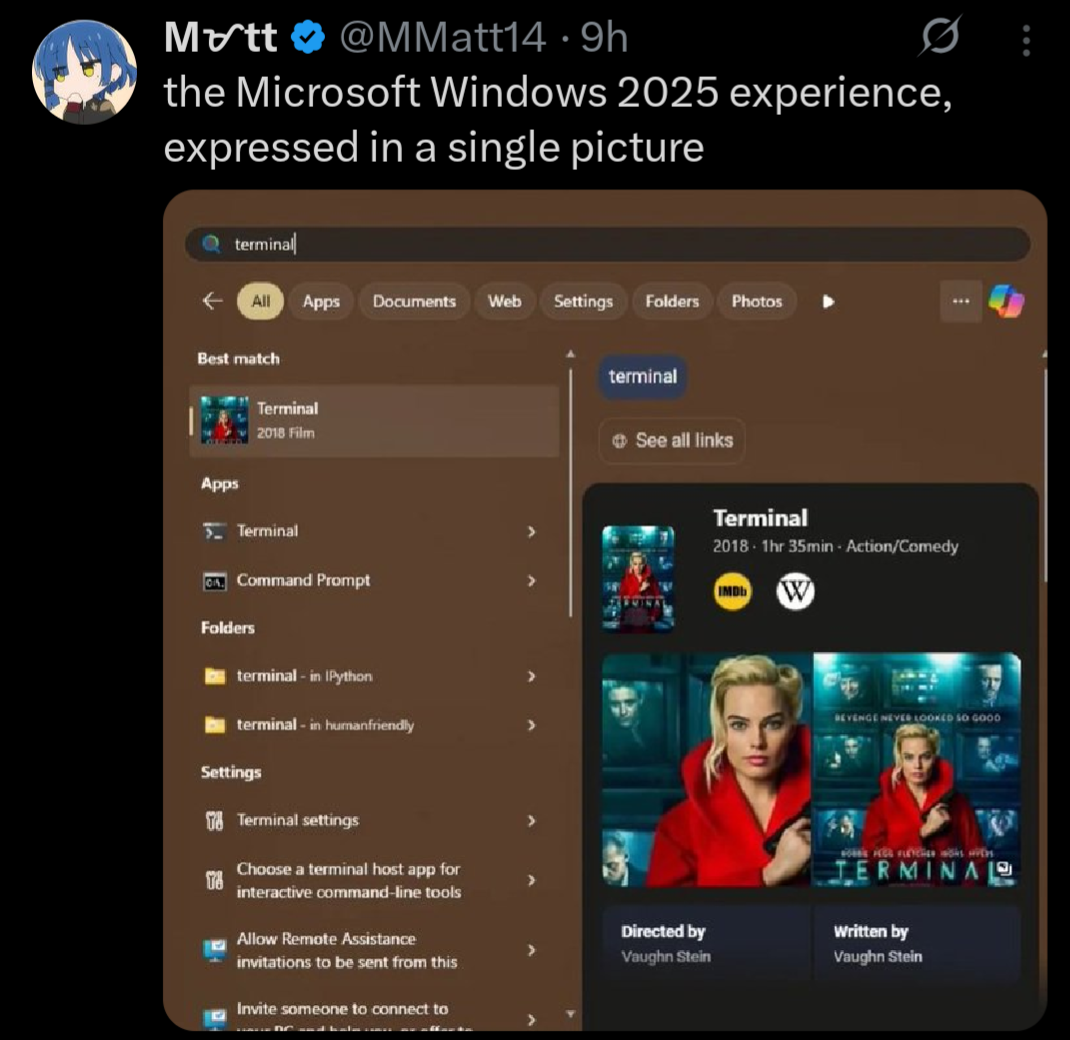
this post was submitted on 01 Jan 2026
1233 points (98.6% liked)
Microblog Memes
10249 readers
2938 users here now
A place to share screenshots of Microblog posts, whether from Mastodon, tumblr, ~~Twitter~~ X, KBin, Threads or elsewhere.
Created as an evolution of White People Twitter and other tweet-capture subreddits.
RULES:
- Your post must be a screen capture of a microblog-type post that includes the UI of the site it came from, preferably also including the avatar and username of the original poster. Including relevant comments made to the original post is encouraged.
- Your post, included comments, or your title/comment should include some kind of commentary or remark on the subject of the screen capture. Your title must include at least one word relevant to your post.
- You are encouraged to provide a link back to the source of your screen capture in the body of your post.
- Current politics and news are allowed, but discouraged. There MUST be some kind of human commentary/reaction included (either by the original poster or you). Just news articles or headlines will be deleted.
- Doctored posts/images and AI are allowed, but discouraged. You MUST indicate this in your post (even if you didn't originally know). If a post is found to be fabricated or edited in any way and it is not properly labeled, it will be deleted.
- Be nice. Take political debates to the appropriate communities. Take personal disagreements to private messages.
- No advertising, brand promotion, or guerrilla marketing.
Related communities:
founded 2 years ago
MODERATORS
you are viewing a single comment's thread
view the rest of the comments
view the rest of the comments
Mine too:
FYI, you don't have to use any third party tools and I didn't, either. Step 1 is to run the Enterprise LTSC IoT version of Windows (either 10 or 11). The consumer versions of Windows are extra bullshit, as we all know by now.
Remove the Windows Store via Powershell (you probably have to run as an administrator):
Get-AppxPackage -allusers *WindowsStore* | Remove-AppxpackageThat removes the store suggestions. It also removes the store entirely, as well as the ability to install store apps. Obviously don't do this if you are one of the 0.1% of users who actually use the Windows Store for some twisted reason.
Then in gpedit.msc / Group Policy Editor:
Local Computer Policy \ Computer Configuration \ Administrative Templates \ Windows Components \ Search
Local Computer Policy \ User Configuration \ Administrative Templates \ Start Menu And Taskbar
There are settings for other nags and irritations in here that you may also want to configure to your tastes as well.
Also:
Local Computer Policy \ User Configuration \ Administrative Templates \ Windows Components \ Windows Copilot
This is great advice, but I think we can all agree it absolutely shouldn't be necessary. All this ad bullshit, store suggestions, Cortana, Copilot, web search, etc. should be opt in, or not exist at all.