Nelizea

joined 3 years ago
MODERATOR OF
 

from the Drive team:


Hi everyone,

As we've just had the AMA today, I thought it would be a good moment to introduce myself. My name is Andrew and I am the Director of Engineering for Proton Drive. All of the engineering work for the Drive products - our apps on iOS, Android, Windows, MacOS, Linux (!) and Web, along with Docs and spreadsheets and the Proton Drive backend - rolls up to me. I work closely with our Product team to spec out the features but my specialty is the tech, and that's what I'm here to talk about with you today.

So let's get into it! I want to take "a minute" (or 20... it's a long read) to share with the community a little bit about our technical journey over the last 3 years. I'm not going to talk too much about features and product here, mostly it's going to be technical. If that's not your thing, you can skip the rest of this post and go all the way to the end for the punchline.

People have wanted a Linux client for a long time, so I'm going to explain a little bit of why we haven't had one, why we are now building one, what's changed, why we're doing more than that, and what it means.

A Challenging Technical Past

3 years ago the Proton Drive team was in a much worse place than we are today. At a glance we were dealing with quite a few major technical problems at the same time:

  • We had completely separate code bases for Android, Windows, and Web. Additionally:
    • iOS and MacOS were together but the code was riddled with "if Mac do this, if iOS do that" statements that did not help us.
    • Web code had unfortunately allowed some of the data models to intertwine with UX/UI code, making things very brittle and slow.
  • Each team was basically a silo universe with little or no interaction with any of their peers, with the exception of Mac and iOS, whose use cases were wildly divergent.
  • Incompatibilities between clients was not uncommon and we had quite a few very painful incidents resulting from platform-specific bugs.
  • Performance was in a very bad spot on most of the clients.
  • We had no consistency in measuring critical metrics.

TL;DR our foundations were shaky. On top of these shaky foundations we were busily cranking out basic features, but those features were often plagued by major bugs and/or performance issues amplified by the shaky foundations. Quality overall was not where it needed to be, but the constant fire-fighting and technical debt made it very difficult to get the momentum to dig ourselves out. Not a good time.

🐧 Linux client status: A distant dream. Not enough resources, not enough time, and no way we were going to try and build yet another client with all this going on.

Maturation and Unification

We recognized that the situation needed to change so we made some big long-term bets, tightened our belts, and got to work paying down technical debt and changing a lot of our internal processes. There are a lot of great stories from this time period but here's a few key changes that we have made over the last 3 years:

  • We reorganized the client teams into a Desktop group and a Mobile group, recognizing that it was the use cases and features that should unite people - not the programming language or a specific chunk of shared code. Windows and Mac may have very different programming paradigms but they need to solve the same problems in the same ways. The same is true for Android and iOS.
  • We put a strong culture of blameless post-mortems in place. Post-mortems are the analyses we run after we have a problem, where we dive deep into the root cause and take pains to make sure it can never happen again.
  • We added a lot of performance/reliability instrumentation and logging (although there is still work to be done here, it's vastly improved).
  • We took a zero tolerance policy towards any issue that could result in data loss, forcing the creation of improved tools and processes that can effectively combat even the worst disasters.
  • We invested into training up a stable core of engineering managers, with small teams and tight focus.
  • And a bunch of various technical rules were set, such as avoiding long-lived branches and increasing the strictness of code reviews, feature flags, rollback plans, automated tests and deployments.
  • Our engineers put in a crapload of hours. Thank you all, if you're reading. You're the heroes of this story.
  • And along the way we also somehow, by some miracle, managed to also ship Photos, Sharing, Albums, Docs, and Sheets. I'm still to this day, not sure how we managed to do that at the same time.

These changes bought us some breathing space. By improving processes across the entire team and investing more in quality and planning (and spending a lot of overtime hours) we were finally able to arrive at a moment many of us had been waiting for, we were able to extract from one of the clients (Windows) a high-quality core that could serve as the basis for a platform-agnostic Software Development Kit. Here's why this matters:

Our end-to-end encrypted (e2ee) platform makes a lot of things much harder than it is for non-e2ee systems. We have to have a lot of safeguards to ensure that any file encrypted and uploaded by one client is guaranteed to be downloadable and decryptable by all other clients, forever. That is a tall order.

Meanwhile the server is effectively blind to the data it is receiving, since everything is encrypted there's no way to take "easy" paths like "just verify that the checksum of the file on the server matches the checksum of the file on the client" (since the file on the server is a sequence of encrypted blocks, that do not in any way resemble your original file, and since we stream everything, this is a huge pain in the backside).

Until this moment in time, basically every feature we implemented required clients to go through an excruciating process of carefully aligning with one another and performing a ton of automated and manual tests to ensure interoperability, and that took a ridiculous amount of effort. It was also extremely detail-oriented and error prone. In effect, our client engineers spent an absolutely unreasonable amount of time working on uploading, downloading, encrypting and decrypting instead of the features or the experience on their respective platforms.

With an SDK, all this would change.

🐧 Linux client status: Not yet time. We have finally got some breathing space but now we need to capitalize on it and use the momentum to build an SDK, not get distracted with a 6th client codebase that would slide us backwards into the situation we just were about to get out of. Note that this is not an issue of "just hire more people" - rather, it's an architectural necessity.

Ripples Become A Tsunami: SDK Tech Disruption

As we began to work on the SDK, many things started to drastically shift inside the team:

  • Teams that had never needed to communicate much on technical implementation details (beyond a few meetings to align on APIs and standards) began to talk to each other and have heated debates about cross-client architecture, leading to increased information exchange and improved relationships between teams.
  • Integration of SDK functionality forced teams to clean up architectural messes and design flaws that had lived in the clients from the start, in order to match the interface requirements for using the SDK (basically it forced a cleanup of several design patterns).
  • The SDK itself absorbed effectively all of the complex, error-prone code that was responsible for chunking, verifying, signing, encrypting, decrypting, uploading and downloading everything. It also absorbed the complexity of permissions, sharing, cloud filesystem CRUD operations, and more. Clients could now start to significantly slim down their codebases, reducing the cognitive burden on every client developer.
  • The SDK could implement a single, fast, properly parallelized implementation that instantly upgraded most of the clients that it was retrofitted into.

For sure along the way we had a lot of challenges. The Crypto library we use today on non-Web clients is Go-based, which means pulling in the Go virtual machine. The SDK for non-web clients is written in C# which meant generating bindings for Swift and Kotlin, plus loading the native library during load on all platforms. For those keeping score at home that means the Mac, iOS and Android clients got to absorb a dotnet library with an embedded Go runtime (scary). Our attempts to unify Web failed, mostly because WASM support isn't quite where we need it to be just yet, so we had to have two implementations of the SDK... one for Web and one for everyone else. Still, 2 implementations is materially superior to 5 (Linux would have made it 6).

The SDK implementation slowly caused a coding renaissance in every client team. Cleanup of technical debt spread along the surface of the code that interfaced with the SDK, leading to a lot of improvements and the fixing of a lot of bugs and performance problems that have lain dormant for years. As we brought the knowledge of Web, Mobile and Desktop clients together we were able to make a much better system than any individual client had previously had, so each client ended up with a powered-up core that also put some pressure on us to clean up and improve the rest of the app. There's still a lot to do here but things are drastically improved in many critical places.

And we didn't make the SDK itself the goal - instead we used it as an implementation choice. Every new feature we needed to build, we built into the SDK. When we had to significantly overhaul code, we replaced it where possible with SDK code. Every single team contributed to the SDK - Android, iOS, Windows, Mac, Web, even the backend team - everyone got involved. Through a sustained, concerted effort we kept the focus there month after month and slowly but steadily built up that core.

🐧 Linux client status: Finally in sight. We set a new goal: to prove that the SDK was up to the right bar, and to force us to "drink our own champagne", we decided that we would build a Linux client alongside the SDK. We set some new and ambitious requirements:

Every HTTP call the Linux client makes to a Proton Drive endpoint has to be made through the SDK, with no exceptions. Anything that the SDK doesn't already do, and is needed by the Linux client, and is platform-agnostic, must be built in the SDK (no shortcuts).

Crypto 1.5 Shows What We Can Do In The SDK Era

This will be a short section but a very important one. The first major change we've used the SDK deliver is our Crypto 1.5 update. It is hard to overstate how incredible this change is: we have upgraded the crypto algorithm on every single Proton Drive client at once. And it's monstrously faster. The new algorithm is hardware-accelerated, which slashes CPU and battery drain on Mobile by an absolutely ridiculous amount. Internal data so far shows that the median improvement of upload speed on web exceeds 500%, though we are conservative in what we communicate since summary statistics can be misleading.

3 years ago this would have been ridiculously hard. We would have needed to coordinate binary releases across 5 different clients with 5 different feature flags controlling 5 different rollouts, and the testing alone would have taken us through the rest of this year. Instead, with the SDK deployed to all clients, we were able to control the entire rollout as effectively a single process, upgrading the entire world together and delivering this improvement to everyone in a fraction of the time it would have otherwise taken us.

And this is just the beginning. Crypto 1.5 is called Crypto 1.5 for a reason, and that reason is because there will be a Crypto v2 that makes even more radical changes that will further ramp up the speed while also reducing complexity. It's going to be another huge improvement.

The SDK allows us finally to make sweeping, impactful changes across the ecosystem. Of course, with great power comes great responsibility (fun fact: I once mistakenly attributed that quote to Winston Churchill instead of Spiderman's uncle, but to be fair it sounds like something he might have said...). We're taking great care to rigorously test every major change to the SDK to ensure that rollouts are smooth. We know that with a unified SDK the blast radius of any error is drastically increased, it's the one downside to unification. Fortunately the clients all have very different rollout strategies and timelines, so we have a lot of gradual processes to act as safety nets in the event that we make any big mistakes (and we have the tools to handle it if we do, thanks to our zero-tolerance policy on data loss).

And I haven't even talked about the increase in upload and download success rates, but that's also been extremely positive. Not to mention a host of other improvements related to performance and reliability.

🐧 Linux client status: In progress! At last! But let's talk a little bit more so read on to the next section...

What Linux Really Needs - A CLI, an SDK, and a Client

In considering the needs of the Linux community, we have heard (very loudly and very frequently) the calls for a Linux client. But anyone who has been around in the Linux community knows that is not necessarily what is actually needed. The Linux community understands the value of software freedom and choice when it comes to their tools and technologies; being forced to use a UI when what you really want or need is a command line, is not great; and no UI or command-line tool will ever be capable of doing everything that the Linux community wants or needs. So we decided that it made much more sense to deliver the Linux community a complete package rather than a narrow, locked-in UI. And it wasn't going to be much of a detour to deliver that much better package. So we will offer:

  • A full-powered standalone Linux desktop client that has a sync engine and the same feature set as Mac and Windows (still a ways out but now well underway). And the engineers are in charge of the UI here since the Linux community is more technical in nature than our other environments :) For the things you can't do in the UI, or for the things you want to do in a more automated way we have...
  • A comprehensive CLI that can do most(*) of the things a normal Desktop or Mobile client can do except for running a sync engine. This allows scripting and automation via cron, integration into arbitrary workflows, etc. And if that's not enough and you still need more power we have...
  • The SDK which completely abstracts away the network interactions to the Proton Drive backend. Using this, you can implement almost limitless functionality on top of the Proton Drive core (though please remember that limits still apply and your app may be throttled if it causes availability problems or behaves in very broken ways)

() When we say "most" here it excludes a bunch of things that are currently only possible on-device, for example the "scan document" capability that the Android application has that relies on features shipped in Android and therefore cannot be made available via the command-line. Features like this will probably never come to the CLI.*

When Will It Happen?

This is of course, what everyone wants to know. I wish I could give you a date for when we will ship the Linux client, but I cannot. We are still early in the development of that client and we have set out some pretty ambitious goals for it as described above. But we've opted to deliver to the community as early as possible, our first versions of the SDK and CLI. We're using the SDK right now in every single Proton Drive client application so, although we aren't yet officially supporting it for third-party development, it's a production-grade core that is currently powering every official client.

What I can say is that we are now most definitely on the right path. The SDK is working very well. Our team has an internal proof of concept demonstrating an initial version of the Windows sync engine running on Linux and powering a UI where you can indeed upload and download files. It's happening! But remember, a proof of concept is just that - there's still a ton to do. We have to implement a whole bunch of features that Windows and Mac provide, then there's all the instrumentation, logs, edge case handling, unit testing, load testing, integration testing, and so on.

We will release this when it is ready.

Conclusion

We will strive to get a Linux beta into the hands of the community as soon as is practical. We know it has been a long wait, and we know you're tired of hearing "soon". But it's still going to be a little while, as we make sure that the client can do what it needs to do in a safe and performant manner. It will of course be open-sourced as well. I will be very surprised if a beta does not happen by the end of the year, but I'm not able to make a promise that this will be the case, there's still a lot of unknowns that need to be explored before we can really settle on the timeline.

I hope that this (very) lengthy post gives the community a little more insight into why it has taken so long, why we have taken the approach we have taken, why you really can now have faith that it will be delivered in the near future. The Linux desktop client is just one part of a three-part technical strategy for Linux that involves the client and the CLI and the SDK, and we're pretty sure it will have been well worth the wait.

If you're a developer and you'd like to discuss the SDK more, check out the Proton official Discord server and join our #drive-sdk channel.


from the team:


Hi everyone,

We’ve just launched Lumo 2.0, a massive upgrade which has seen our private AI tool rebuilt with reasoning, visual capabilities, memory, customizable AI assistants, and improved web-search. With this release, we have significantly closed the gap in terms of intelligence and capability with the latest and greatest models from OpenAI (ChatGPT) and Anthropic (Claude).

Here's what's new:

Performance

Lumo 2.0 has been rebuilt from the ground up, resulting in a 240% score increase on the independent Artificial Analysis Intelligence Index when comparing Lumo 2.0 Max to Lumo 1.4.

Lumo can now reason through complex, multi-step queries. You can now choose fast or thinking mode, making everyday interactions feel faster while giving complex, multi-step queries additional depth.

Multimodal

Lumo 2.0 is now multimodal. You can:

  • Upload and analyze images
  • Generate entirely new images from prompts
  • Edit existing images
  • Turn a rough sketch into finished artwork As with everything in Lumo, this happens while your conversation stays encrypted and inaccessible to anyone else, not even Proton.

Memory

Lumo can now remember context across conversations, learning your preferences over time. You stay in control: you decide what Lumo remembers, what it forgets, and what it never learns to begin with.

We've also doubled the context window, so Lumo can hold longer conversations and reason across longer documents and datasets you provide.

Custom Lumos

You can now build "Custom Lumos", customizable AI assistants that follow your specific instructions every time, so you don't have to set the scene on every new conversation.

Web Search

Web search has been drastically improved, with live results and cited sources. Ask Lumo about current news, live financial data, or the weather, and it can generate brand-new widgets to display the answers.

Privacy None of this comes at the cost of privacy. Lumo 2.0 keeps everything that makes it different to Big Tech’s AI:

  • Zero-access encryption, no logs, no data sharing
  • Never trains on your conversations
  • Fully open source
  • Built on European infrastructure, backed by Swiss privacy laws

Lumo 2.0 is live now. Use our Max and Lite model for free. A Professional tier is also available for teams.

Try it → proton.me/lumo

Stay safe, Proton Team

[–] Nelizea@lemmy.world 3 points 11 months ago (1 children)

Still planned for summer, which in Switzerland (HQ of Proton) is until 22nd September

[–] Nelizea@lemmy.world 3 points 11 months ago

You're welcome, I am here for the community 👍

[–] Nelizea@lemmy.world 8 points 11 months ago* (last edited 11 months ago) (1 children)

One of the Proton Linux devs just commented about that over in the Proton VPN subreddit:

We're going to work on it, there are some issues with the DNS resolver that debian uses, which is not the same as Ubuntu and Fedora, which makes split tunneling behave in an unexpected manner.

[–] Nelizea@lemmy.world 9 points 11 months ago (2 children)

Out of curiosity, are you or any of the other mods with Proton officially? I appreciate the updates regardless, I was curious if this was an official / unofficial community

We are the same volunteering moderators as on all the Proton subreddits. Official in that way and that the owner of the board here is the Proton account beloging to the team, unofficial in the way that the Proton Team isn't really present here.

[–] Nelizea@lemmy.world 1 points 11 months ago

Do you still need help or did you get it sorted?

111
submitted 11 months ago* (last edited 11 months ago) by Nelizea@lemmy.world to c/protonprivacy@lemmy.world
 

Sorry for the absence, it has been a bit hectic! News from the Proton Team:


Hey everyone,

It’s finally here! Split Tunneling is officially rolling out in beta for Linux, starting with Fedora and Ubuntu (latest versions only).

This is an early release, and we’ll keep on making improvements together with your help. We wanted to get it out there for anyone who wants to test-drive it and help shape how it evolves.

What’s in this release:

  • Exclude mode only — you can pick apps to bypass the VPN
  • Fedora + Ubuntu support
  • Works only with the official Proton VPN Linux app

🔜 Coming soon:

  • Include mode — route only selected apps through the VPN
  • IP-based rules
  • Debian 12 support

⚠️ A few caveats:

  • You’ll need the latest version of our Linux app
  • Feature is available only for those on a paid plan
  • The feature won’t be available for (unofficial) Flatpak versions of our app, so please use our official installer from our website.
  • Bugs and limited functionality are expected (beta life)

Let us know how it works for you, and what you’d like to see next! We are going to keep making improvements and changes to this feature over time, so give us as much feedback as you can.

Stay safe,

Proton Team

[–] Nelizea@lemmy.world 6 points 1 year ago

There are some good signals for now and it is unlikely this will pass:

The Federal Council has collected feedback on the planned revision of the Ordinance on the Surveillance of Postal and Telecommunications Traffic. There was hardly any positive feedback.

The Federal Council's plans to revise the Ordinance on the Surveillance of Postal and Telecommunications Traffic (Vüpf) have failed the consultation process: All major parties and numerous associations clearly rejected the plan.

https://www.inside-it.ch/vupf-revision-faellt-in-der-vernehmlassung-komplett-durch-20250507

Such a unified opinion across all parties in Switzerland is rare. This topic has also made the rounds in swiss medias recently with a big echo, it is fought by many swiss organisations and companies and as example Proton will leave Switzerland if it were to somehow pass anyway: https://www.techradar.com/vpn/vpn-privacy-security/we-would-be-less-confidential-than-google-proton-threatens-to-quit-switzerland-over-new-surveillance-law


from the team:


Hey everyone! 👋

We’ve been hard at work behind the scenes, and with spring in full swing, we wanted to share a few recent Proton VPN updates that we think you’ll appreciate. These aren’t flashy new features — just thoughtful improvements to make your online life smoother, safer, and more efficient.

🛡️ NetShield is now even better at blocking phishing sites

Worried about accidentally clicking a sketchy link? We’ve expanded the list of known phishing domains NetShield blocks — so now it stops more bad stuff before it even has a chance to load. Just turn on NetShield in the app, and you’re good to go.

🔋 Battery life improvements for mobile users

We’ve improved how Proton VPN runs in the background on both Android and iOS. If you're on the move using a cellular connection, the app will now let your phone rest more when idle, meaning less power drain and longer battery life.

Some quick tips for even better battery life:

  • Use WiFi when you can (uses less power than mobile data)

  • Switch to WireGuard (lightweight and battery-friendly)

  • Don’t stress about using lots of data — that barely affects battery usage

Faster browsing when conditions aren’t perfect

Proton VPN has always been fast, but now it’s smarter too. If your connection is being slowed down due to certain network quirks, the app can detect and automatically fix it in real-time so you get the fastest connection speed available. No manual tweaking needed.

We know “invisible” updates aren’t as exciting as shiny new features, but these kinds of tweaks make a huge difference day-to-day — and they’re all part of our mission to keep improving the VPN experience.

Let us know how these updates are working for you, or if you’ve noticed a difference!

🔗 Full blog post here

As always, thanks for being part of the Proton community 💜

Stay safe,

Proton Team

[–] Nelizea@lemmy.world 3 points 1 year ago (1 children)

I copy the annoucements over here from reddit.


from the team:


Easily Organize, Share, and Protect the Moments that Matter to You

Hey everyone,

You’ve asked for better ways to manage your photos — and we’ve been listening.

Starting today, Albums are rolling out in Proton Drive on web, iOS, and Android! 🎉

Now you can organize, share, and relive your favorite memories — from vacations to family milestones.

📂 What You Can Do with Albums

🗂️ Organize with Custom Collections

Group weekend trips, birthdays, or years of travel into custom albums — no more endless scrolling through one big “Uploads” folder.

🤝 Share (on Your Terms)

Invite friends or family by email to a shared album.

You stay in control:

• Decide who can view or contribute

• Revoke access anytime

• Real-time syncing keeps everyone updated

Tag Your Best Moments

Mark top shots — or memes (we don’t judge) — as Favorites for one-tap access to your personal highlight reel.

🔐 Keep Personal Moments Private, Always

Everything stays end-to-end encrypted:

• Album names

• Photos & videos

• Even metadata

No ads. No AI training. No leaks. Just privacy.

🔜 Coming Soon

We’re just getting started! More features are on the way:

• 🔗 Link sharing — Send albums to anyone, even without a Proton account

• 🖼️ Screenshot filter — Surface receipts, memes, or secret recipes in seconds

#🛡️ Protect the Moments That Matter Most

Many photo storage services scan your data to target ads or train AI.

Proton Drive keeps your photos safe, private, and under your control.

🎁 New to Proton Drive?

Sign up for Drive Plus to unlock 200 GB of encrypted cloud storage — enough for over 40,000 high-res photos (5MB each)!

📲 Get Started Now

🔗 Read the full announcement: https://proton.me/blog/proton-drive-photo-albums

📱 Update your app or download Proton Drive on:

• Android

• iOS

• Web App

💬 We can’t wait to hear what you think — and spot any bugs we missed!

Drop your feedback, questions, or feature requests below. Your input helps make Proton Drive even better.

Stay safe, –Proton Team


from the team:


Managing your documents with Proton Drive just got a lot smoother.

Quick Access

You can now jump straight to your Docs from the app switcher in Mail, Calendar, or Drive on web.

Find What You Need Fast

  • See your recently accessed documents
  • Sort by name or by last viewed
  • Create new documents with just a tap

Stay in Sync with Your Team

You can now accept or reject document invitations directly when someone shares one with you.

Use the context menu to:

  • Share
  • Move
  • Open its folder in Drive
  • Rename
  • Move to trash
  • Try it here: docs.proton.me

Let us know your thoughts, and as always, thank you for your continuous support!

Stay safe, Proton Team


From the team:


Hey everyone,

As our progress towards the roadmap we recently reminded you of continues, we’re glad to announce that Proton Pass item file attachments are now possible across all item types.

Important information, such as backup codes for your logins, can now easily be stored in any format, such as PDF, JPEG, PNG, or even a .txt file! There is also the option to upload multiple files to one item.

As you may know, cloud storage space has become somewhat of a commodity in our digital era, meaning we can only offer this functionality to our paying users.

Here are the paid plans that will get access to this feature starting today:

  • Pass Plus
  • Pass Family
  • Proton Pass Professional
  • Proton Unlimited
  • Proton Visionary
  • Proton Family
  • Proton Duo

You can upload any file up to 100MB per file, with a total of 10-500GB in storage space for attachments, depending on your plan.

We hope the addition of this new feature will greatly improve your experience with Proton Pass, and we look forward to hearing your thoughts on it!

If you have any questions, such as what the storage limit is, you can learn more here: https://proton.me/support/pass-file-attachments

Feel free to let us know your thoughts and questions below!

Stay safe,

Proton Team

[–] Nelizea@lemmy.world 2 points 1 year ago

Legal HQ is in the USA

[–] Nelizea@lemmy.world 1 points 1 year ago

Please feel free to send that feedback directly to the Proton team through a support ticket

[–] Nelizea@lemmy.world 3 points 1 year ago

Android, Linux and Windows already have custom DNS support:

https://protonvpn.com/support/custom-dns

37
submitted 1 year ago* (last edited 1 year ago) by Nelizea@lemmy.world to c/protonprivacy@lemmy.world
 

The Proton 2025 sping roadmaps are released!

Today, we’re sharing our plans for the next three to six months — a roadmap of the new features and improvements designed to give you more powerful tools to protect your privacy, boost your productivity, and take control of your digital life.

Proton 2025 spring roadmaps

https://proton.me/blog/product-roadmaps-spring-summer-2025

Proton VPN roadmap for spring and summer 2025

https://protonvpn.com/blog/vpn-roadmap-spring-summer-2025

Proton Mail and Proton Calendar roadmap for spring and summer 2025

https://proton.me/blog/mail-calendar-roadmap-spring-summer-2025

Proton Drive roadmap for spring 2025

https://proton.me/blog/drive-roadmap-spring-2025

Proton Pass roadmap for spring

https://proton.me/blog/pass-roadmap-spring-2025

[–] Nelizea@lemmy.world -1 points 1 year ago

Removed as it is wrong. You can see the statement here:

https://lemmy.world/post/24344212


from the team:


Hello everyone

Today, we’re introducing a new version of the profiles feature on Android devices, allowing you to easily connect to specific VPN presets depending on your needs.

Using connection profiles on Android will allow you to define:

  • The country/city /server you want to connect to
  • The connection type (Standard, Secure Core, P2P)
  • The VPN Protocol (OpenVPN, WireGuard, Stealth)
  • Enable/disable Secure Core, NetShield, DNS filtering, and define NAT type.

We’re also introducing an Android-exclusive (for now) feature, allowing you to auto-launch a website upon connection. Simply toggle the feature on and define the URL, which will be opened via your device’s default browser upon connection.

You can learn more about this feature and connection profiles on Android here.

Please note that these updates only apply to users on paid plans.

We’ll be back later today with more updates, but until then, stay safe.

  • Proton Team
 

from the team:


Hi everyone,

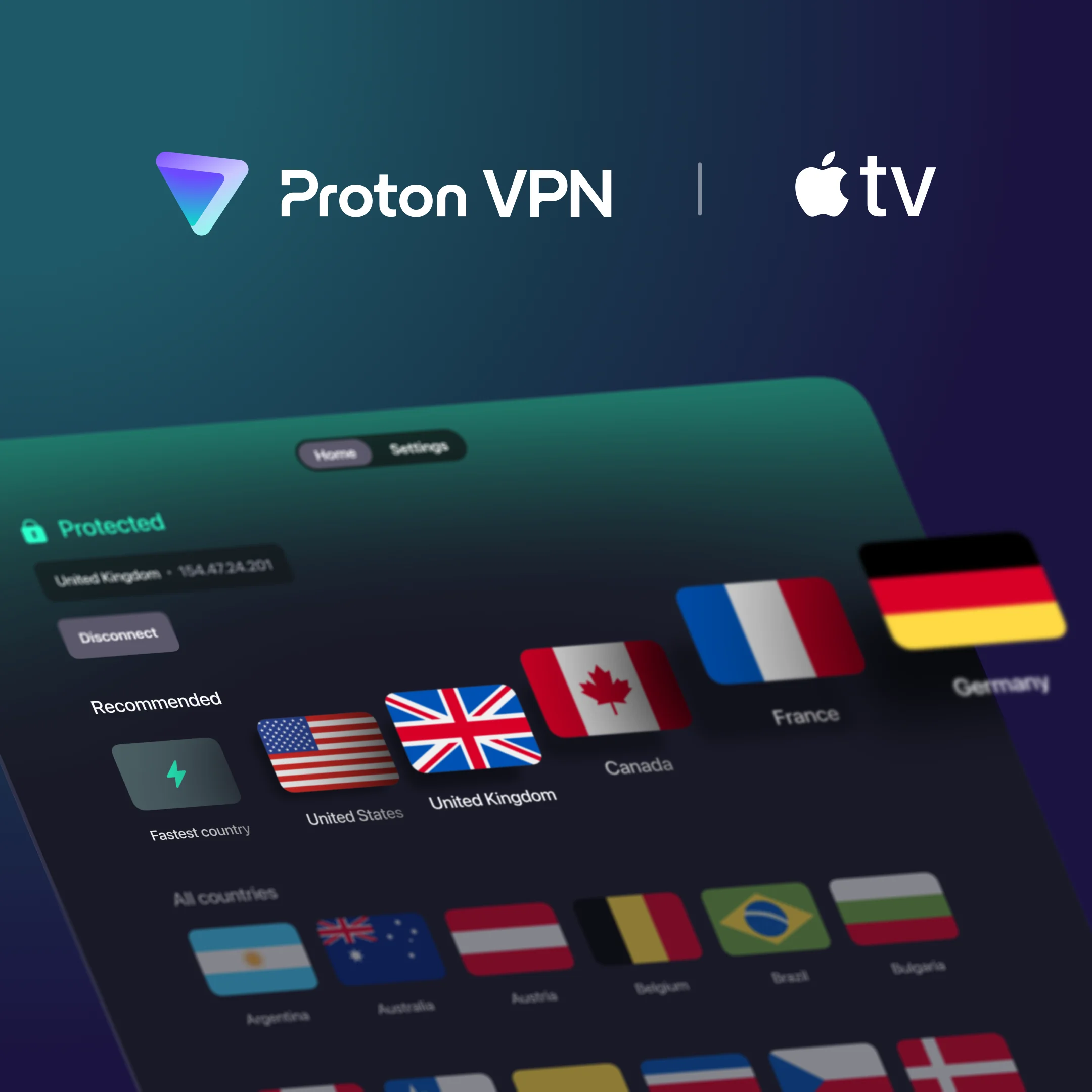
After Apple made it possible to support VPNs on Apple TV, you’ve made it clear that you would like to see support for Proton VPN.

After announcing that it would be available this summer and publishing the source code in September, it took a bit of time to get through Apple’s review process, but we’re happy to share that it is now available!

With Apple TV and Proton VPN, you can now stream your favorite shows, films, and sporting events on your big-screen TV in full 4K from over 100 servers via your Apple TV, no matter where you are: protonvpn.com/download-appletv

Proton VPN is now available on tvOS!

See our streaming guide for more information: https://protonvpn.com/support/streaming-guide/

Proton VPN is now available across the Apple ecosystem on iOS, macOS, iPadOS, Apple Vision Pro, and tvOS. Let us know what you think!

The Proton Team
 

from the team:


Hi everyone,

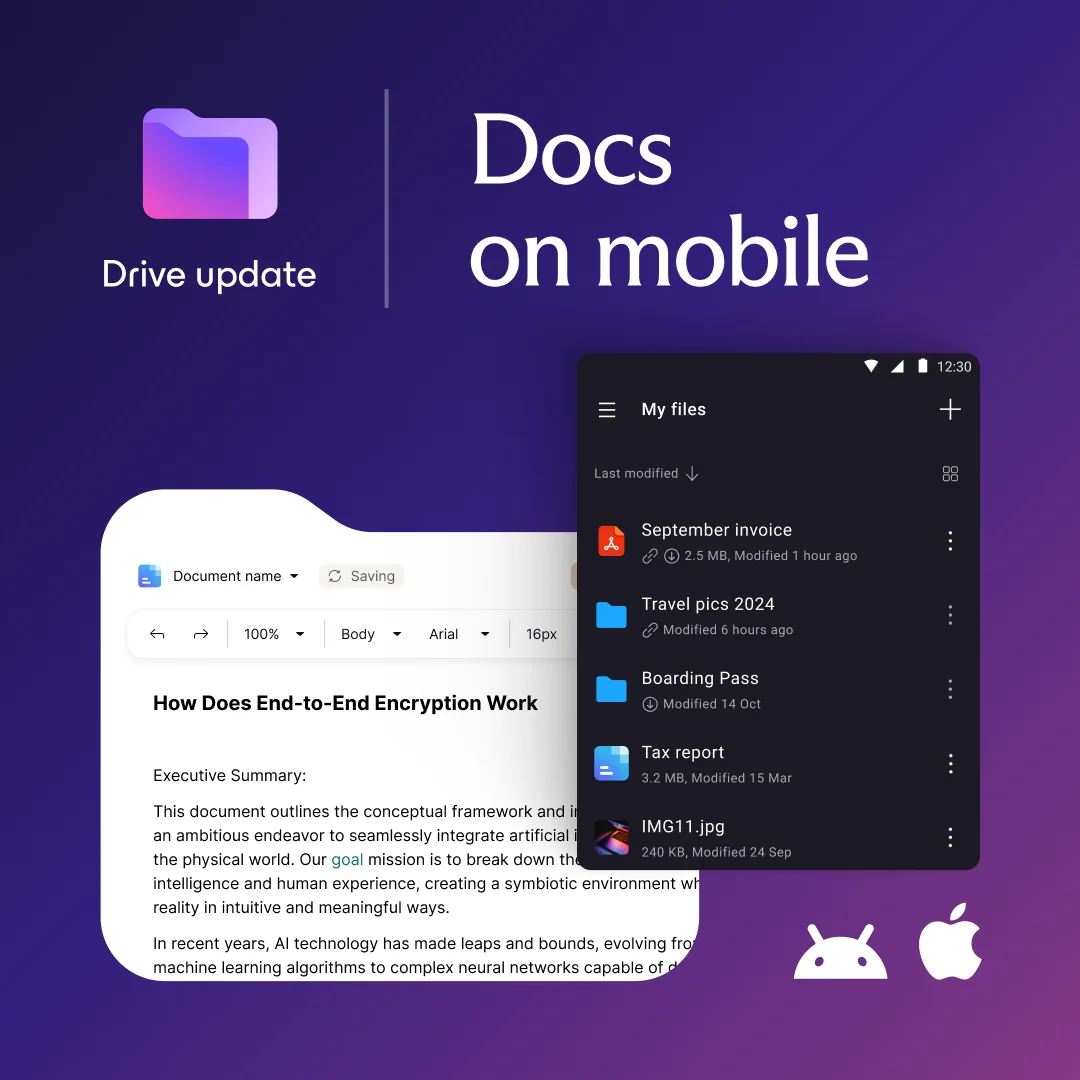
Docs in Drive has gone mobile! Securely collaborate and manage your documents from your mobile device with the Proton Drive app, on both iOS and Android. End-to-end encryption ensures your privacy, wherever you are.

More on Proton Docs here: https://proton.me/blog/docs-proton-drive

Make sure your Drive app is updated, give it a try, and let us know what you think!

Download Proton Drive:https://proton.me/drive/download
 

from the team:


Hi everyone,

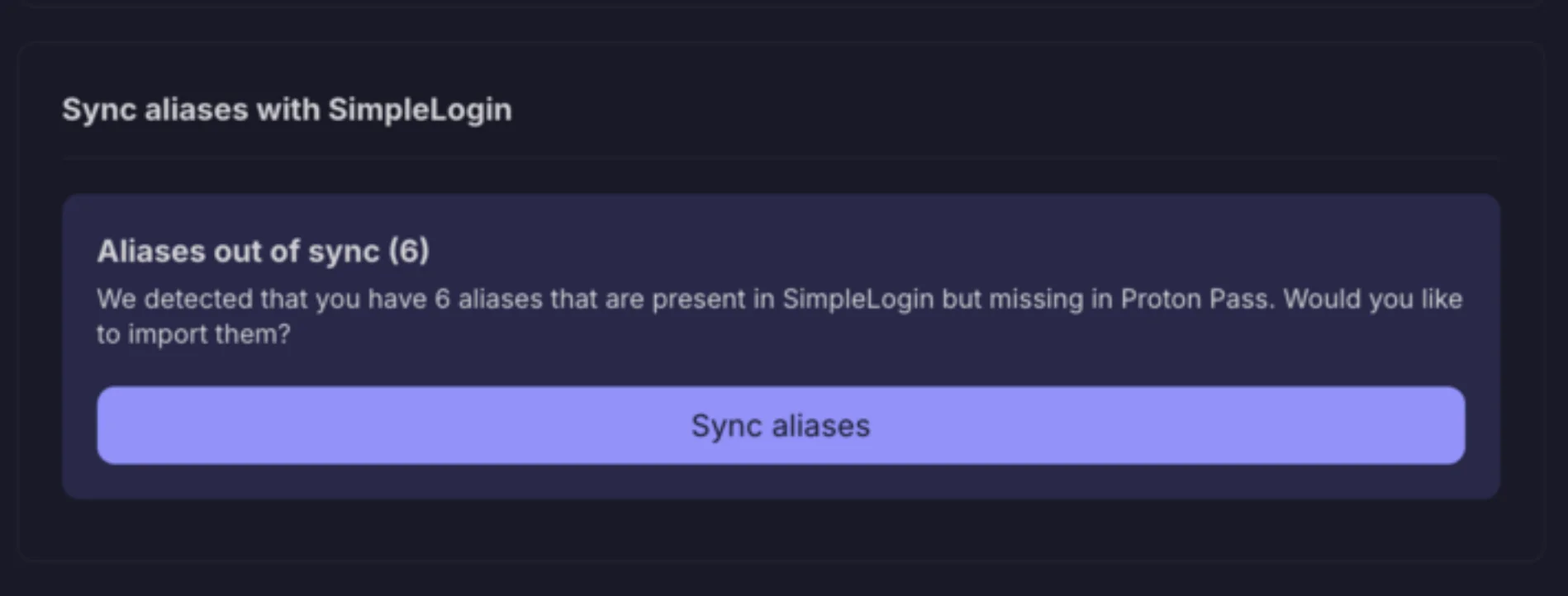
Based on your feedback, we're happy to share that you can now sync aliases between Proton Pass and SimpleLogin.

This feature is rolling out now and will be available for everyone soon. ⏰

Here's how it works:

  • Tap the 'sync aliases' button in Proton Pass
  • Choose which vault to sync aliases to
  • Aliases will continue to sync, and disabled aliases will be reflected in Proton Pass and SimpleLogin

What’s next?

Soon, you’ll be able to manage custom domains and additional mailboxes, as well as send emails from Proton Pass hide-my-email aliases.

Let us know what you think.

Proton Team
view more: next ›