TurkeyDurkey

joined 4 months ago
[–] TurkeyDurkey@piefed.world 4 points 2 weeks ago (1 children)

People don't mention LineageOS enough. And then when someone says Graphene is available, some duck says it's only available on Pixels.

LineageOS is great for degoogling, as far as I know. I've loved Lineage the past year and a half. But have been trying out Graphene this past week.

[–] TurkeyDurkey@piefed.world 2 points 2 weeks ago

I need this

[–] TurkeyDurkey@piefed.world 4 points 3 weeks ago (1 children)

I was thinking about your last post earlier today!

[–] TurkeyDurkey@piefed.world 9 points 3 weeks ago (2 children)

65% on this latest test. Get 70% on finals to keep a B.

[–] TurkeyDurkey@piefed.world 22 points 3 weeks ago (4 children)

Waiting for my test results as we meme...

[–] TurkeyDurkey@piefed.world 1 points 3 weeks ago* (last edited 3 weeks ago)

This is inspiring me

Edit: ♥️ ♥️ 🫶 🫀 🎉

[–] TurkeyDurkey@piefed.world 6 points 1 month ago (1 children)

Oh, haha. This is for a school homework website called Pearson. I've always had it for my math classes.

Since it's a web application, you can simply change your user agent to get rid of this warning. But it's annoying since I'd rather not have an extra extension installed to do so. Lol.

[–] TurkeyDurkey@piefed.world 11 points 1 month ago (3 children)

Everyday for me! They let us close and ignore it for now...

[–] TurkeyDurkey@piefed.world 9 points 1 month ago

Implied consent

[–] TurkeyDurkey@piefed.world 13 points 1 month ago

This is dope

[–] TurkeyDurkey@piefed.world 5 points 1 month ago

I was in this situation with family. I ended up doing the expensive-ish option and setting up some cameras through the roof and replacing the front ring doorbell with a reolink doorbell camera.

Idiots use these doorbell cameras. Soon I'm going to just have a regular doorbell and an actual good camera on the front porch ceiling.

I suggest Reolink local only, sd card, and if you can have a small Frigate or something server so they can access at least the video. I only suggest reolink because that's what I've only ever used.

119
submitted 1 month ago* (last edited 1 month ago) by TurkeyDurkey@piefed.world to c/books@lemmy.world
 

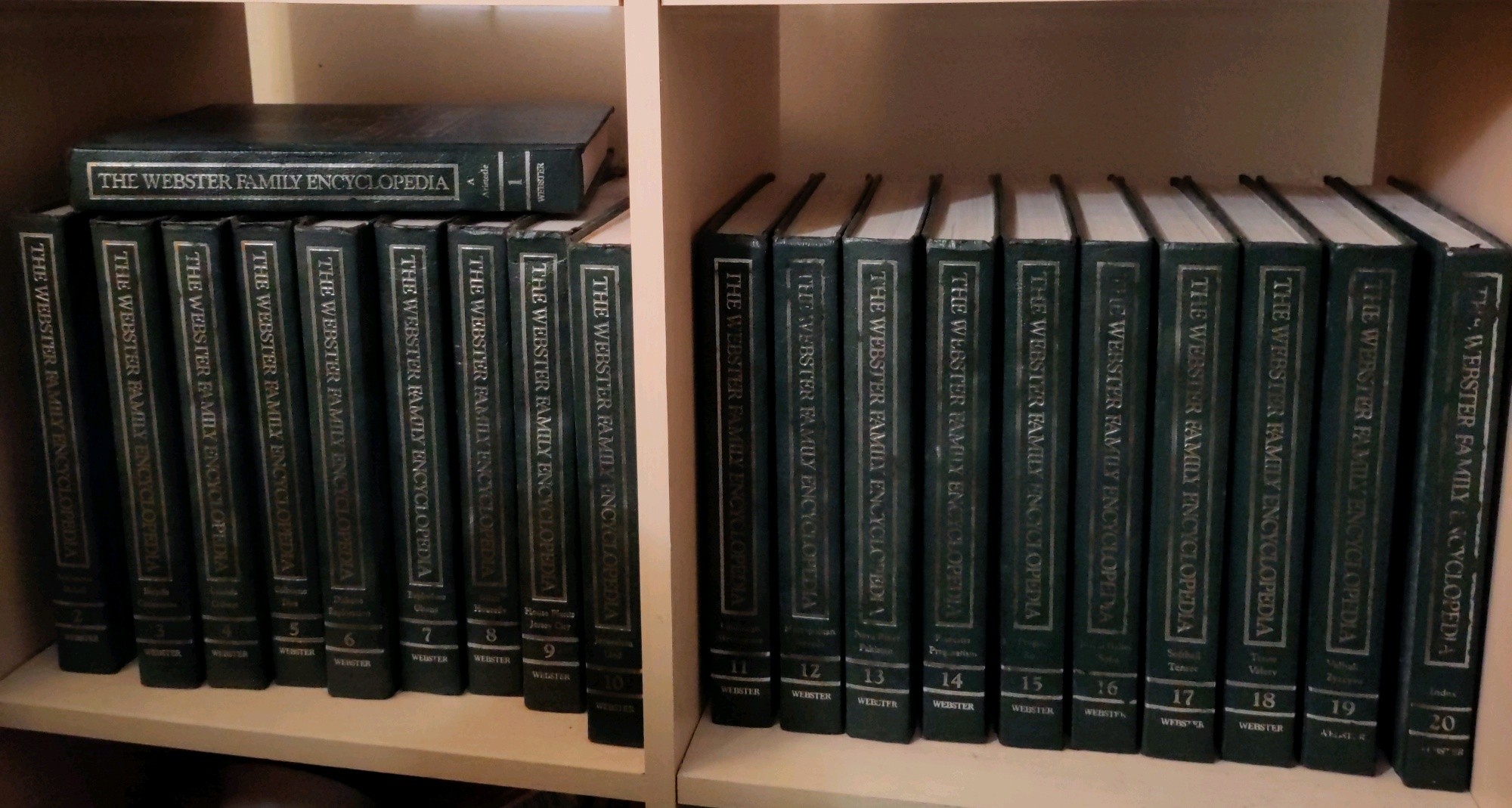
Does anyone want this old and lightly dusty 20 volume set of books? They have been with my family since probably that date, but nobody wants them anymore.

I like to horde cool stuff and encyclopedias have always felt like a big wealth of random knowledge. But I am cleaning things out and don't want to have responsibility for these being destroyed in a flood or something.

I will ship them all for free to anywhere up to $100 in shipping cost. I pay for shipping. I just want them gone but safe.

Would really want somebody who is actually interested in taking care of or handling these books well.

My other option is of course my library, but it feels more personal to give a Lemmy user first dibs.

Please share so I can find a new owner quickly. Thanks.

Edit: will ship anywhere in the world up to $100
 

Over the past few years I have gone through a bunch of different apps and protocols to find the best one for "securely" communicating with my family and friends.

I ended up with the amazing XMPP protocol and my family/friends frequently use its clients to contact me.

Monal for IOS and Cheogram/Conversations/Quicksy for Android. The android app I install depends on if I can get F-Droid on their phone or not.

It's been great with OMEMO encryption and the clients/apps available for XMPP. But sometimes I have issues introducing people to it.

Jabber (friendly name for xmpp) sounds silly to say. The clients all have weird names. And after trying the Signal mobile app it feels more focused than what anyone in the XMPP community has whipped up.

But the capabilities of XMPP makes it better.

Signal Cons (immediete)

  • Centralized
  • Single app
  • Phone numbers

XMPP/Jabber Cons

  • Picking server
  • Apps are sort of less friendly

What really scares me about Signal is the centralization. Any nerd can easily host an XMPP server these days. But Signal from what I've heard really wants us to use their server.

If XMPP gets more attention I'm sure we can get people supporting projects and creating better apps.

I keep seeing people recommended Signal instead.

This is a bit of a tired ramble. What I wanna know is why anyone is preferring Signal over XMPP apps. I assume it might be not knowing about it. Tell me what you use to message people.


So that very important day is almost upon us.

October 14th is the day set for when Windows 10 stops security updates (no consumer is going to pay for extended) and begins to really push people to Windows 11. Windows 11 has strict hardware requirements that a lot of "older" devices that most people have do not meet.

And so, I am sure many individuals and companies may be getting rid of their old laptops and even desktops to recoup the vost of new devices.

What is the plan, when should we move in? What kind of deals should we be looking out for?

I want to find a great deal on a great laptop just for the fun of it. Some of my friends (converted to Linux) are waiting to get new laptops and score a deal. I have been waiting years for this day and I hope it can feel like a special day.

Any good places to look for these kinds of deals?

85
Printers for Linux (piefed.world)
submitted 3 months ago* (last edited 3 months ago) by TurkeyDurkey@piefed.world to c/linux@lemmy.ml
 

Time for 2025 printer research!

Have been stalling getting a new printer since this HP has been doing me fine since way back. But of course we need to prepare for the inevitable firmware updates and subscription raises that will lock us in.

What I've heard is best:

  • Laser Printers
  • Brother branded

Recently though, Brother started doing the funky like all other printer companies. This stopped me last time when I was about to buy one.

I won't get into the details as to where I've found and read this information because it's in the back of my mind.

And since I'm really just here to ask: WHAT KIND OF PRINTER YOU GOT, LINUX USERS?

Preferably under $200.

EDIT: Scanning + Printer + Copier combo is the ultimate goal, but whatever else works too. Preferably wifi connected. But I can make some Ethernet cables.


Always used Seafile to backup all of my electronics. Then borgmatic and borgbase as my only remote backup for my entire server. Local backup on another drive every now and then.

Have been having trouble fixing up the latest version of Seafile in docker and I've gotten too busy to deal with it over and over.

And now I only have to deal with my own backup data. So Seafile isn't so useful anymore.

Looking for information on other home server data backup flows.

At most 500Gb of usage is what I expect to idle around. Need integrity checks, best speeds and reputable service. The works, I know.

Looking for same annual pricing as borgbase (~80USD) or better of course.

Here are a couple I found:

  • Filen
  • Jottacloud
  • some Hetzner storage or something

Definetly need a CLI tool with syncing. Or some method for client side encryption backups.

Thoughts? Thanks in advance.


Looking to see if I could execute this using Meshtastic.

Correct me if I'm wrong, but meshtastic is great for short amounts of data to transfer over long distances.

Thinking about having a node (comfortabley) attached to my dogs that frequently broadcasts their GPS location.

This would be an alternative to using data sim cards and other extra junk. Essential for out in the boonies.

How small could this get? I don't think they'd mind wearing a chunky block on their side, but the smaller the overall better.

And would this also be great for keeping track of important objects and personal belongings?

Thanks.


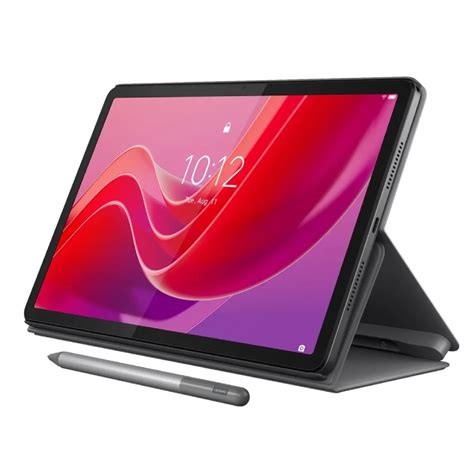
Looking for a tablet for taking notes in engineering and deeper math classes.

I always used paper or typing (shoutout notesnook), but I want to have a big digital handwritten journal to look back at and reference.

Or if anyone is familiar with custom ROMs for android and know a good and easy to flash tablet.

I already have a thinkpad x1 carbon laptop for everything else.

Tablet will be separate for reading, home assistant, taking notes with Saber and watching entertainment.

Again, looking for a decently easy Linux tablet or de-googleable tablet with an advanced stylus.

And I'd prefer not supportting Microsoft or Google of course. And budget strictly under $200 l.

Thanks!

view more: next ›