TDCN

joined 3 years ago
[–] TDCN@feddit.dk 1 points 3 days ago

Fair enough. If or works for you. Colemark is also more similar to qwerty so maybe the experience is different. Tbh. I actually like qwerty for phone use because the most used lettered are spread out making words more destinct. But writing on a phone is always annoying to me.

[–] TDCN@feddit.dk 1 points 3 days ago

I'd say if you are bothered to change and already working on it my best tip is to commit and learn touch typing correctly with fingeres on the home row and train the muscle memory. If you don't, then I'd say there's no real reason to learn Dvorak. The benefits only really shine when touch typing. BTW for symbols I also Still have to look, but they never moved so even with qwerty layout visible I can just look ans find what I need. If you are using US Dvorak layout I'd highly recommend investigating if you can find and install a layout for your native language leaving the symbols alone makes things much easier

[–] TDCN@feddit.dk 2 points 4 days ago* (last edited 4 days ago) (2 children)

10 finger touch typing without looking at the keyboard which is what I did, is very different from using two fat thumbs on a phone where you are forced to look (at least for me) in order to have any chance of hitting the right keys. On a PC I never look at the keys because they are qwerty anyway. I just use a software setting in my OS to change it to Dvorak so I must be able to type without looking. On a keyboard my fingers just know what to push intuitively so I only need to think of a letter or word and my fingers just types it from muscle memory. This is what I mean when I say 0% transferable skills because the same muscle memory does not work on a phone anyway.

[–] TDCN@feddit.dk 4 points 4 days ago* (last edited 4 days ago)

I guess that highly depends on how the AI or algorithm is working and how it learned. If it uses rhythm and distance in time space between strokes along a word prediction enging matching rythm with words, Dvorak will throw it completely off, since the rhythm is changed completely. My guess is you'll need to train it seperatly on dvoark for it to have any chance of working.

[–] TDCN@feddit.dk 2 points 4 days ago (2 children)

Basically I learned to completely touch type without looking at the keyboard so the stickers were just there for training and as they wore out over the following months I basically didn't need them ever again. Numbers and symbols stay in place except a few where the Danish æøå are placed but I just memorized those...

I just use a standard keyboard and have a shortcut to change between normal qwerty and dvoark. Qwerty is just for whenever someone needs to borrow my PC for a while. I can still write qwerty in a pinch but it's as slow/fast as its always been and I have to look at the keyboard while typing.

[–] TDCN@feddit.dk 3 points 4 days ago (9 children)

My typing was really slow on qwerty to begin with and I found it super awkward when trying to learn it. I really did try but gave up multiple times.

One day I just decided enough was enough and wanted to start from scratch. I added stickers to all my keys for dworark and used a training program (cannot remember what, but it was old school and worked great going step by step) and during my summer vacation one year I just sat in my hammock relaxing and just kept training with the program. After two weeks I was fast enough to write to friends in chats without it taking ages (still slow af.) after about a month I was faster than qwerty and have never looked back since. Dvoark is for me much more comfortable and intuitive for my fingers. Linux has exelent support for dvoark out of the box. Windows not so much for other than english.

Dont bother changing your smart phone keyboard too. It has 0% transferable skills or benefits and just so confusing.

[–] TDCN@feddit.dk 8 points 4 days ago (13 children)

Good luck when I use dvoark.

[–] TDCN@feddit.dk 2 points 5 days ago (1 children)

S3 is not supported by this amd platform. I belive it's not something you can just enable.

[–] TDCN@feddit.dk 3 points 5 days ago

This has nothing to do with sleep mode or s2idle as far as I can see.

[–] TDCN@feddit.dk 5 points 6 days ago (5 children)

i've been looking for those settings, but i don't think the laptop supports anything but s2idle/modern standby.... if you know how to enable S3 sleep on this laptop id love to know.


I consistently have abysmal sleep battery consumption on my Framework 13. How can I improve this. I'm so sad my laptop is constantly out of battery whenever i grab it.

Anyone knows how to fix this? It's been a problem for the entire year I had the pc now. I've been waiting for firmware updates to hopefully fix it, but nothing has changed for the past year and i feel it's only gotten worse.

[–] TDCN@feddit.dk 11 points 1 week ago

Dress for the job you want and not the one you have and dreams will become reality...

[–] TDCN@feddit.dk 10 points 1 week ago (2 children)

I have alarms on my phone for reminding me every single day and I still very often forget to take it.


... Or not... I need help with a sanity check.

Tl;dr. Yes it is expensive but is it actually a good grinder?

I'm so ready to pull the trigger for a buy once, cry once, purchase decision for a new grinder and i have been looking for a solidly build, European made, all purpose coffee grinder to replace my ageing Nivona Cafe Grano 130 (aka Capresso Infinity)

I have been looking around a lot and in a previous post where I asked about this Eurika was suggested and it feels like the best option for me among the bunch.

But this is a lot of money so before buying I need to know if what I'm about to do isn't completely stupid.

I want a single dose grinder with low retention since i change beans and brew method frequently. I love to experiment with all roast types so the grinder should be able to have some good all purpose burrs. I don't intent to have multiple burr sets or multiple grinders. I just want one that can do everything to a decent level (no perfectionism needed) and the grinder should last me a lifetime if possible.

I mainly brew with 3 methods. French press, pour over, and moka pot. I occasionally dabble with Turkish coffee but I have always just purchased pre ground for that but a grinder that can go towards that is interesting but not strictly necessary.

I have no need for espresso grind levels at the moment but since this is a by once grinder who's to say I won't own a small espresso machine in 5 years, so not needing to buy a new grinder for that is appealing.

The main reason i want to upgrade is the fact that my current grinder produces very uneven grinds with a lot of fines and some coarse bits at the same time making my French press bitter and my pour over and moka pot clog up easily. Tbh. I find the unevenness on par with a good blade grinder. Lighter roast coffees works the best but the uneven grind makes for what I feel is under extraction since it lacks sweetness even though I grind relatively fine, long brew time and high temps. I would love to get more clarity out of my beans and taste the more fruitier and sweeter notes. Darker roasts just turn bitter and muddy no matter what i do.

With those needs in place I narrowed it down to the Eurika mignon single dose pro or the mignon zero 65 all purpose which quite a lot cheaper.

The Pro is interesting to me because of the new type burrs that should last forever and the exceptionality low retention. It should also have an antistatic system.

Only downside I can find myself is the very small hopper of 45g. For daily use i grind only 30g of coffee for my French press which is fine, but when i have guests i pull out the big boy brewer where i need to grind 60g - 80g. It is rare i need it and tbh. i can easily live with just grinding 2 times.

So please help me out. Should I just go cry and buy the mignon zero pro or is the mignon zero 65 All purpose just as good or, have i missed some other grinder where the value is much better and my money better spent.

Thank you.


She just loves playing fetch.


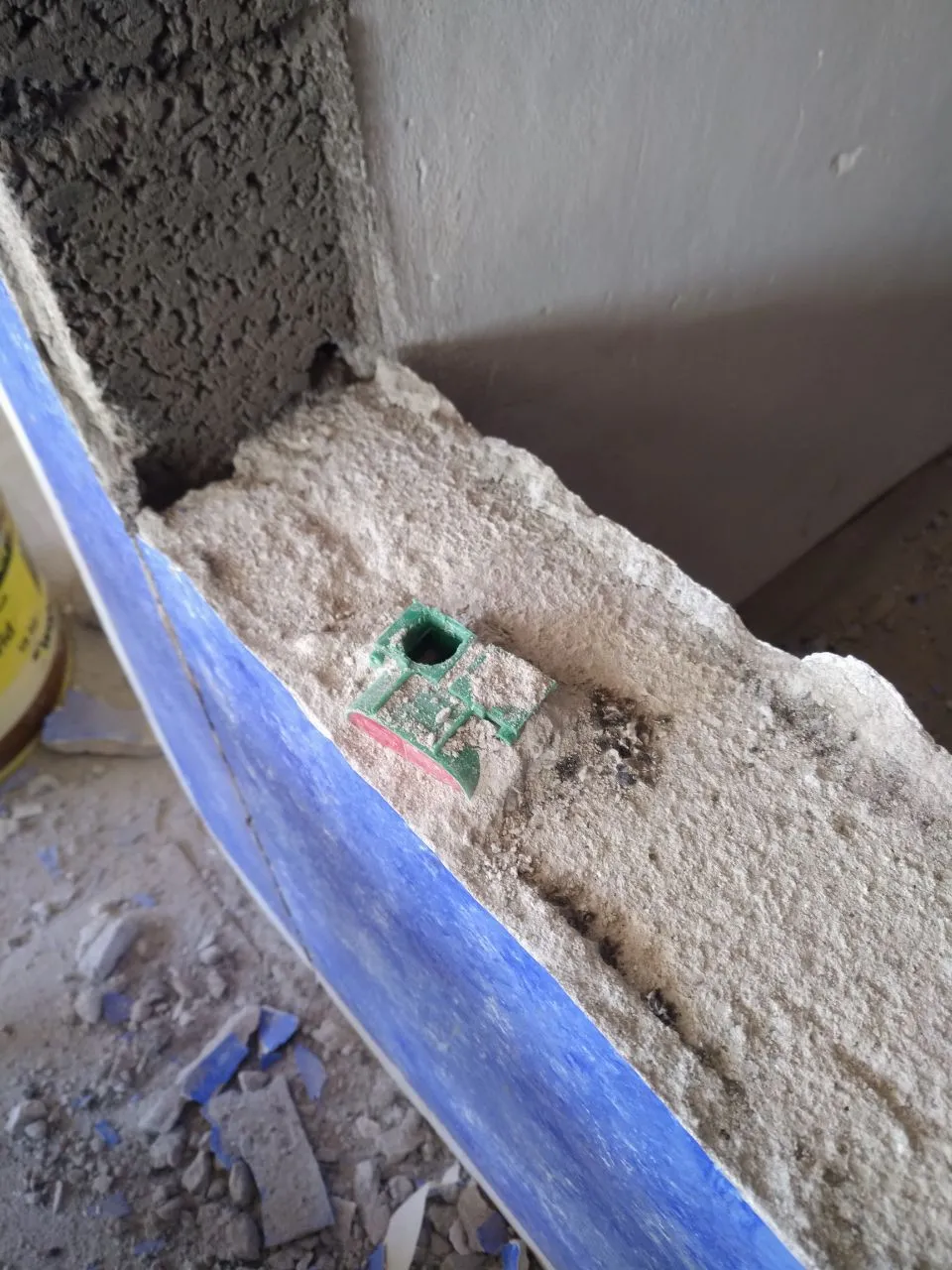
Fandt en tilfældig tom indmurings dåse i vægen under renovering... Og det er endda lavet af proffesionel elektriker for 40 år siden. Utrolig godt gemt, men nu er alle ude af dåsen!

32
submitted 1 year ago* (last edited 1 year ago) by TDCN@feddit.dk to c/buyeuropean@feddit.uk
 

I really really want to buy the fellow ode 2 coffee grinder, for it's quality and descent price, but I just learned that it's a USA company and the grinder is made in china. Before I buy I'm looking if there is an European alternative where my money is placed better.

Does anyone know of a coffee grinder made in Europe that is as good as the fellow ode 2 while not blowing the budget completely.

I make frensh press, pour over and mokka pot so i don't require espresso fine grind levels, but an even and precise grind is important to me.


Now that windows 10 is end og life soon I want to update my gaming PC to Linux but I am very unsure on how to approach it, even though I'm pretty proficient in Linux. I daily drive Debian 12 on my laptop and have Ubuntu server and truenas on two other devices but those are all for very different use cases than gaming. I'm not afraid of the terminal (I actually often prefer it over GUI) but since this setup is for gaming for both me and my girlfriend I want this experience to be as easy and hands off low maintenance as possible.

My desktop is about 6 years old and consist of an MSI Tomahawk B450 motherboard with an Ryzen 5 2600X and an Asus Nvidia 1660ti and 16GB of RAM. I just recently installed 1TB nvme SSD so I have a decent amount of capacity available, but I'm generally not interested in dual boot since I have bad experience from the past with windows suddenly deciding to take over and ruin it all. For temporary testing it is of course an option but I really don't like it due to the maintenance of it.

Important games for me is Sims 2, 3 and 4 (with almost all expansions packs on Sims 4) and they are currently purchased through the EA game store. I also have a few steam games and Minecraft but I'm fairly sure they all work decently since I've tried on my laptop.

I use steam remote play to stream the desktop to a MacBook on the local network when Sims is played and it works quite well at the moment and it is important that it continues to work or an alternative remote play function to mac is easily available.

Sims is my biggest worry to get working since my girlfriend is playing it a lot and with a lot of custom content (mostly just assets) added along all the expansion packs. Rebying everything through steam is not an option (way too expensive) so I really hope there is a way to get EA GameStore to work without too much effort using wine or some other workaround.

I hope you guys have some ideas on how to approach this and keep the most important functions for me up and running.

view more: next ›