meshtastic

276 readers
2 users here now

Meshtastic® is a project that enables you to use inexpensive LoRa radios as a long range off-grid communication platform in areas without existing or reliable communications infrastructure. This project is 100% community driven and open source!

https://meshtastic.org/

founded 2 years ago
MODERATORS
1


I just bought a T1000-E Tracker with the hope of putting it on my dog. I don't let him run loose, but he's gotten out a few times and it makes me crazy when it happens. Having a way to locate him would be a relief.

Several of the options in the Positions configuration screen are not working for me. The Broadcast Interval drop-down has options down to 1 minute, but it ignores anything I try to set that is less than 1 hour. Likewise, the Smart Interval drop-down goes to 15 seconds, but it will not allow me to set less than 5 minutes.

I understand the need to avoid flooding the mesh with updates. My use case is likely to be active for less than 15 minutes out of any given year, but during that time I need faster updates than once every five minutes. My dog can easily cover several blocks in that time.

I thought the limits might be in the app, so I used the Meshtastic CLI to set those values where I wanted them. That appeared to work, but when the device finished rebooting they were still set to the same minimum values I ran into with the app. Given that, the limitation is almost certainly built into the firmware and not the app.

I'm hoping that someone can give me some information on how this really works. I assume the drop-down values originally made sense. Have the minimums for those intervals been changed by that much? And was it intentional and not a side-effect or bug? Is there any workaround?

If the ranges available for those values have changed in the firmware, it would be nice to get them updated to match in the app.

On a side note, I apologize for posting in two different Meshtastic communities. I may have to switch back from Piefed to Lemmy so I can do normal cross-posting.

2


My eyes are not what they used to be, and I sometimes have trouble reading the messages in the channels. I may be missing something obvious, but I can't find any options to configure how they look. Does anyone know if there's a way? Being able to make the text a little larger, and to turn off the background colors under the text, would make it a lot easier for me to use.

The way it used to be was a lot easier for me to deal with. I wish there were a way to get back to something closer to that.

3


cross-posted from: https://feddit.it/post/23529720

I'm curious about trying meshtastic, and I was planning to buy the Wio L1 Tracker once aliexpress sales start. Though, I have read that the antenna isn't quite great, so I was thinking about buying a better one. Also, I'm buying the pro one instead of the oled kit because for 15 extra euros I get both the battery and the assembled case.

The meshtastic website recommends the gizont 10dbi whip antenna for 868 mhz (I'm in europe). The problem is that the antenna comes in sma-male or in rp-sma-male, and I have no idea what connector the tracker has. I know I could just buy an extra ipex connector, but I'd rather keep the original one, rather than spending extra money, considering I'm not even sure to catch any node in my area.

Another question I have is if it's reasonable to use a 10dbi antenna or if it's too high gain, as I see people use ~6dbi antennas for base stations. I'm in an urban area most of the times, but I also plan on using it for hiking, a couple of time in the summer. I know nothing about radios, so I have no idea of how impactful are these numbers.

4
5


Meshtastic developers released firmware version 2.6.11 with critical fixes:

Key generation delay: Keys are now generated when users first set their LoRa region, preventing vendor-side duplication. Entropy improvements: Added multiple randomness sources to strengthen cryptographic initialization. Compromised key detection: Devices now warn users if known vulnerable keys are detected. An upcoming version (2.6.12) will automatically wipe compromised keys. For immediate protection, users should:

Update devices to firmware 2.6.11 or later. Perform a factory reset using Meshtastic’s CLI: meshtastic –factory-reset-device. Manually generate high-entropy keys via OpenSSL for critical deployments.

6


Well this is interesting. Stick-a-node to any smartphone with magnetic back. I could see myself trying this.

7
8


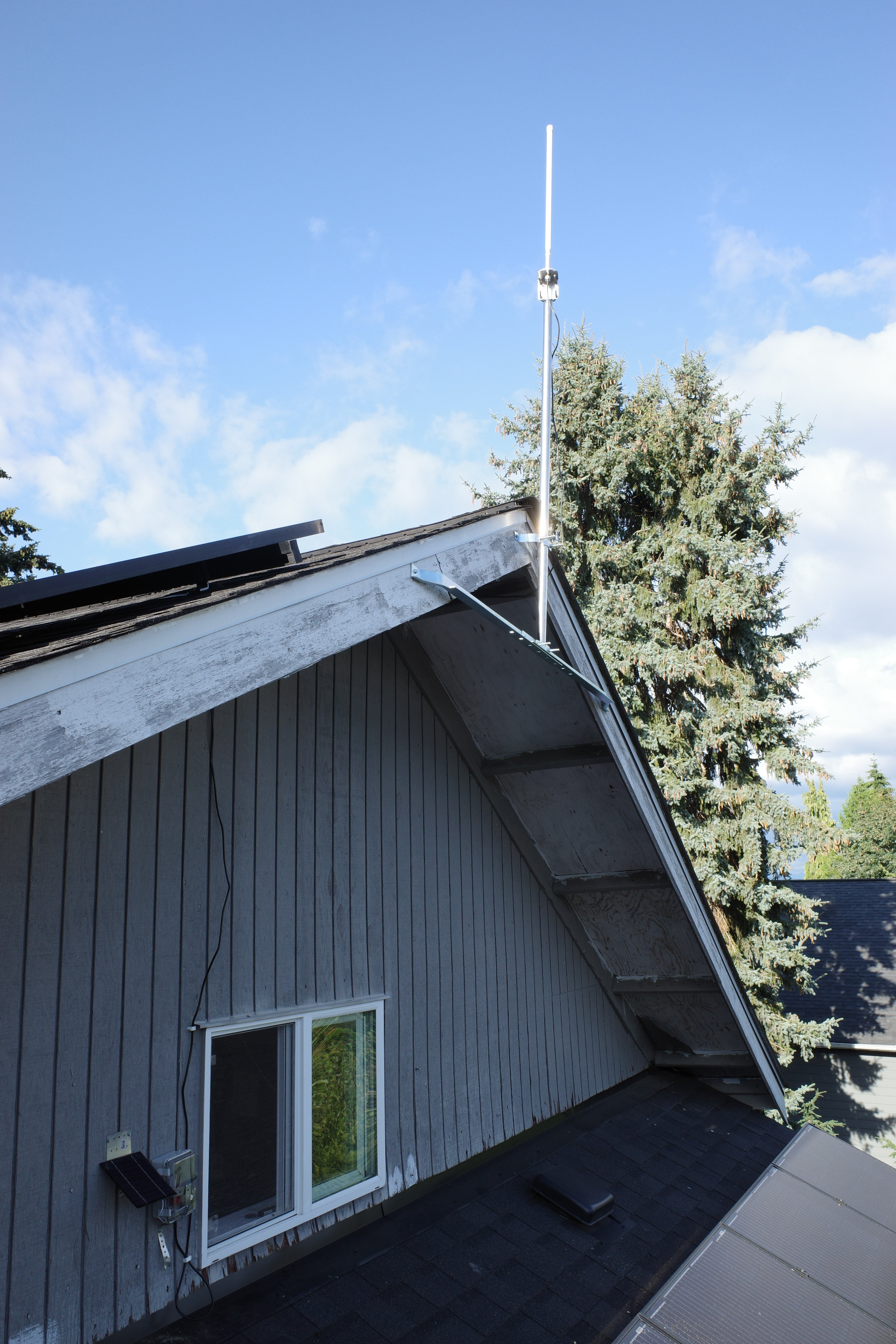
So just installed a rooftop relay based on a Rak wireless module. I can now reach over 120 nodes (around 20 “online”).

I guess my question now is…now what?

I come from ham radio, so I was hoping to make come connections and maybe have some conversations, but the best I got was a single reply to a CQ, but I got no response from my follow-up.

Does anybody actually have conversations over the general Meshtastic channel? Is it all encrypted channels? Or is nobody talking at all?

Is there any way to determine how much traffic my router is handling?

This is in Seattle, BTW.
9


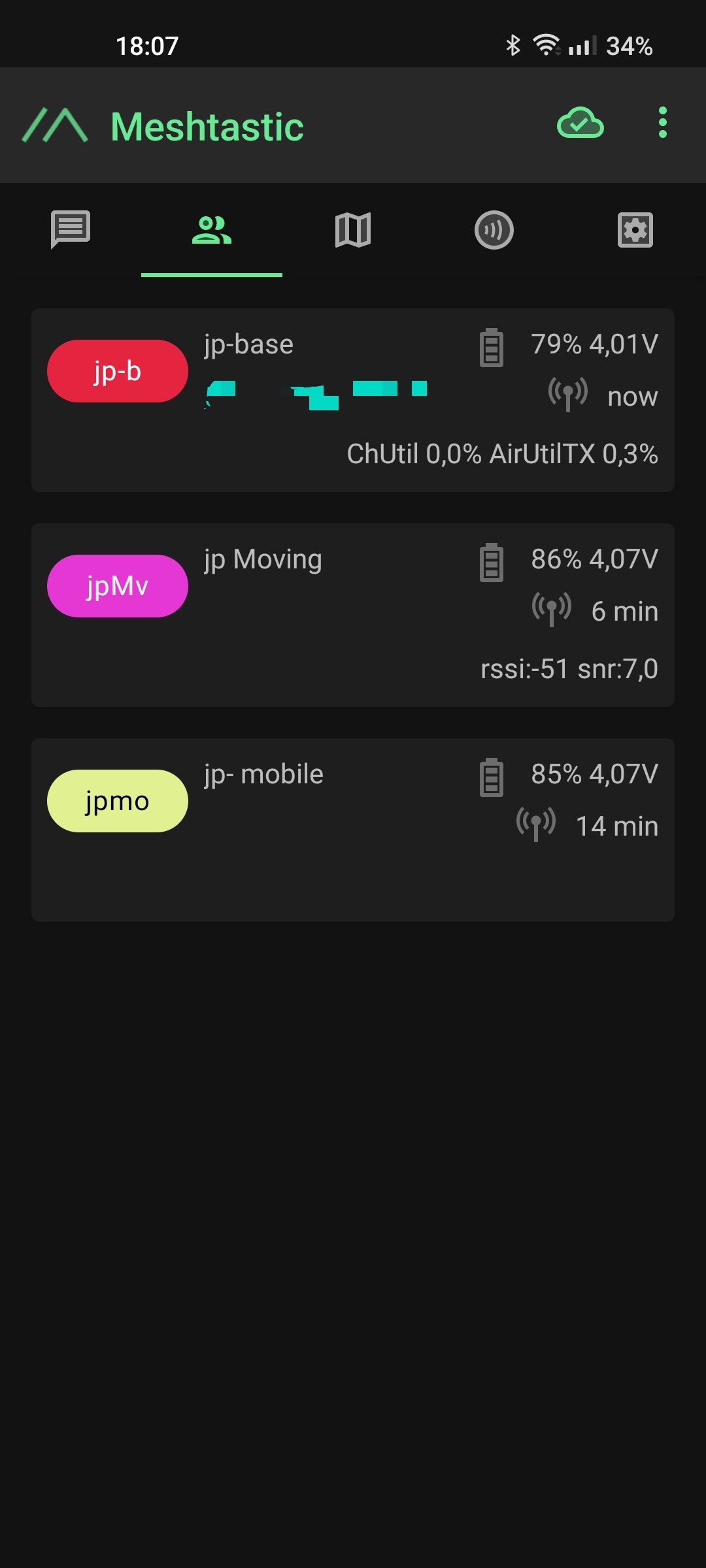
Unfortunately no other nodes nearby. But 2 will be moving nodes. Did anyone find some nodes in the wild?
10


Does anyone know if a good server/ room to discuss LoRa/ Meshtastic projects?

11