this post was submitted on 27 Jan 2026
732 points (96.3% liked)

linuxmemes

29631 readers
1240 users here now

Hint: :q!


Sister communities:


Community rules (click to expand)

1. Follow the site-wide rules

2. Be civil
  • Understand the difference between a joke and an insult.
  • Do not harrass or attack users for any reason. This includes using blanket terms, like "every user of thing".
  • Don't get baited into back-and-forth insults. We are not animals.
  • Leave remarks of "peasantry" to the PCMR community. If you dislike an OS/service/application, attack the thing you dislike, not the individuals who use it. Some people may not have a choice.
  • Bigotry will not be tolerated.
  • 3. Post Linux-related content
  • Including Unix and BSD.
  • Non-Linux content is acceptable as long as it makes a reference to Linux. For example, the poorly made mockery of sudo in Windows.
  • No porn, no politics, no trolling or ragebaiting.
  • Don't come looking for advice, this is not the right community.
  • 4. No recent reposts
  • Everybody uses Arch btw, can't quit Vim, <loves/tolerates/hates> systemd, and wants to interject for a moment. You can stop now.
  • 5. πŸ‡¬πŸ‡§ Language/язык/Sprache
  • This is primarily an English-speaking community. πŸ‡¬πŸ‡§πŸ‡¦πŸ‡ΊπŸ‡ΊπŸ‡Έ
  • Comments written in other languages are allowed.
  • The substance of a post should be comprehensible for people who only speak English.
  • Titles and post bodies written in other languages will be allowed, but only as long as the above rule is observed.
  • 6. (NEW!) Regarding public figuresWe all have our opinions, and certain public figures can be divisive. Keep in mind that this is a community for memes and light-hearted fun, not for airing grievances or leveling accusations.
  • Keep discussions polite and free of disparagement.
  • We are never in possession of all of the facts. Defamatory comments will not be tolerated.
  • Discussions that get too heated will be locked and offending comments removed.
  • Β 

    Please report posts and comments that break these rules!


    Important: never execute code or follow advice that you don't understand or can't verify, especially here. The word of the day is credibility. This is a meme community -- even the most helpful comments might just be shitposts that can damage your system. Be aware, be smart, don't remove France.

    founded 2 years ago
    MODERATORS
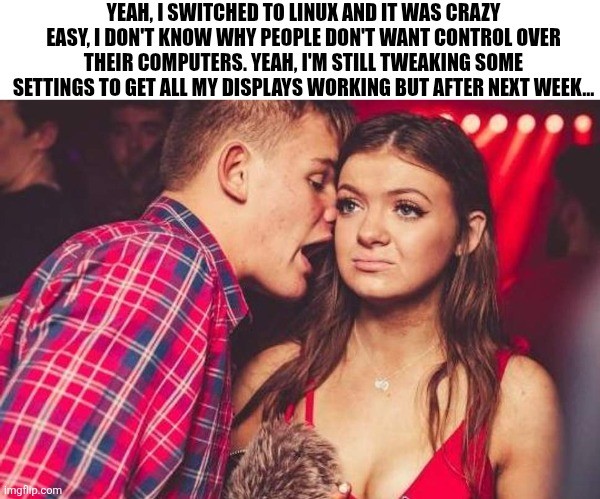
     

    Edit: I'm glad so many of you have had no issues with multiple monitors. My set up is a little unusual (3rd display is an infrequently used large tv hooked through the receiver) and is definitely solveable but will take some effort (and honestly, I'd rather spend my spare time outside or with friends, so who knows when I'll fix it.)

    top 50 comments
    sorted by: hot top controversial new old
    [–] michaelmrose@lemmy.world 3 points 4 days ago

    infrequently used large tv hooked through the receiver

    This makes it seem like Linux has a problem with multiple monitors when you just aren't supposed to connect your 80s AV hardware between TV and computer. You should absolutely expect that to either require an active convertor to your obsolete shit AND OR cutting out the intermediary. If you are going to use weird shit its on you to actually understand how it works.

    Out of all the people on earth you might literally be singular person anywhere with this setup. Meanwhile everyone else is just plugging in shit and watching it work.

    [–] Auth@lemmy.world 20 points 6 days ago (3 children)

    My internal dialogue during social events: dont talk about linux, dont talk about foss, dont talk about rodents.

    [–] Jordan117@lemmy.world 20 points 6 days ago

    The design history of the XFCE logo has entered the chat.

    [–] python@lemmy.world 3 points 5 days ago

    I will gladly subscribe to any newsletter about those three things.

    [–] mech@feddit.org 1 points 5 days ago* (last edited 5 days ago)

    After 2 drinks:
    "See, this is what's so great about ratpoison:..."

    [–] Zink@programming.dev 17 points 6 days ago (2 children)

    I'm another data point where displays work under Linux better than Windows, making this particular example amusingly wrong.

    This is a Dell precision laptop with a dual usb-c connected docking station. Intel cpu plus a discrete nvidia gpu.

    Using Cinnamon in X11 on Linux Mint or LMDE, works great.

    Using KDE Plasma in Wayland on Debian? Works great!

    Using Windows 10? Bzzzt.

    I think I've had Linux DEs occasionally forget my monitor order & rotation just like Windows would, but out of the box Windows wouldn't even use all my monitors.

    [–] MyBrainHurts@piefed.ca 4 points 6 days ago (1 children)

    I don't think a lived experience can be amusingly wrong but to each their own?

    My issue comes because my set up is highly unusual, the third display is an infrequently used tv that's connected through a receiver. With a little bit of fighting I have a workable albeit inconvenient system. A fix is possible but as stated in the meme, it'll take some effort etc.

    [–] luciferofastora@feddit.org 4 points 6 days ago (1 children)

    I assume they mean that the general sense of "Switching to Linux is easy! I'm still fiddling with basic things but any day now..." doesn't reflect their own experience, nor that of many others who had less trouble with displays under Linux.

    In that context "I have an unusual setup" is an important note: It's not that Linux struggles with basic things, but that it struggles with some uncommon things that nobody ever built and shipped a proper solution for.

    [–] MyBrainHurts@piefed.ca 2 points 6 days ago (1 children)

    Absolutely true and well put.

    I should have said "third display" instead of "all" because my unusual setup is important context. Honestly, I'm also probably not highlighting that enough when evangelizing about it.

    To me, a big chunk of the excitement of linux is that regardless of whether linux or someone else is better out of the box, with linux, I can change whatever needs changing. There will always be some tinkering left and nothing stopping me from it!

    load more comments (1 replies)
    [–] jj4211@lemmy.world 1 points 5 days ago

    Same for me. In Linux, I plug in USB-C and both monitors in the chain light up every time without thinking.

    For some reason, dual boot into Windows and it always disables one of the two by default until I manually go in and tweak it alive, and then it will do it again next time I plug in.

    Now back in the day, futzing with XFree86 config files and CRT monitors and absolutely lots of 'voodoo' to match what Windows pretty simply did with display configuration. But nowadays at least with kwin wayland compositor on nVidia proprietary drivers, it always does exactly what I expect without asking, and Windows is the one that assumes that I don't want to use all the displays that are connected.

    Windows seems pretty clunky by comparison nowadays when it comes to display configuration.

    Now juggling my bluetooth audio... I think Windows still has the advantage. I have no idea why sometimes my bluetooth microphone just doesn't work under Linux. I do appreciate the ability to manually select the bluetooth codec in Linux where in Windows it 'guesses' and often guesses wrong, throwing it into ancient headset codec territory when I'm trying to listen to music, because who knows what has made Windows think the microphone device is open...

    Networking... Linux wins hands down with VPN connectivity, much much easier to manage all my VPNs in one place in the 'casual' user scenario instead of a litany of competing 'endpoint managers' in Windows. When VPNs step on each others routing tables, well no OS makes that easy but at least Linux network namespaces makes it possible for me to have multiple network 'worlds' in one place to reconcile the conflicts...

    Probably the other area where Windows has a bit of an advantage is a consistent binary driver model. In Linux if you are an out-of-tree driver, it's going to suck to keep up with changing in-kernel APIs to keep your source compatible, let alone have a module running without a recompile after a minor kernel update. I guess the silver lining is almost everyone decided to have their drivers 'in-tree' to make sure they are maintained and don't need a lot of ugly #ifdefs to contend with multiple kernel behaviors... Then there's nVidia and some commercial filesystems that either cannot or will not go in-tree...

    [–] FreddiesLantern@leminal.space 5 points 5 days ago (1 children)

    Sent this to my normi friends, I’ll keep you up to date…

    Update: they only pointed out that my usage of the expression β€œamirite?” Is out of date.

    [–] umbraroze@slrpnk.net 16 points 6 days ago (1 children)

    On my Windows laptop, multi displays barely work with any logic at all.

    Last time I used macOS it pretended that displays worked fine (but they didn't).

    I've not used Linux much in hotplug monitor setups but I assume the situation can't be worse.

    load more comments (1 replies)
    [–] 87Six@lemmy.zip 4 points 5 days ago (3 children)

    The trick is to buy linux-approved hardware.

    For example, there are specific machines which are approved by ubuntu as officialy working with ubuntu.

    Thinkpads are generaly good to use.

    Consumer Thinkbooks (Shitbooks) like the 16 G7 IML are NOT at all compatible.

    You gotta work your hardware around linux a bit.

    [–] HalfSalesman@lemmy.world 3 points 5 days ago* (last edited 5 days ago) (2 children)

    The trick is to buy linux-approved hardware.

    So have money.

    I have two extra monitors, one of them is technically a small low res LCD TV, another is in an elderly monitor that I can only turn on and off by plugging and unplugging it because its power button work's 1 out of 1000 times its pressed. They work, why spend money to replace them, they are just used to monitor temps, music players, and Discord.

    Also this flies in the face of sustainability. I'd figure sustainability is also a major motivating factor of Linux, given its association with other progressive tech movements like right to repair. If I have some random jank old hardware, it'd be nice to not have to just throw it away for the sake of switching to Linux. In fact, Linux does save some hardware of course and gives them new life sometimes. I've revived some old laptops before with it.

    I say this as a Linux advocate, I use Windows due to current necessity. I also use Linux (Not just on a Steam Deck, but yes on a Steam Deck). I'd stop using Windows entirely but I'd need to be richer or accept significant downgrades. I'm not the former and I wont do the latter.

    [–] 87Six@lemmy.zip 1 points 4 days ago

    I get what you are saying but sometimes new is needed. For example at work they wanted me to have new not used... For some reason. (They paid anyway)

    [–] michaelmrose@lemmy.world 0 points 4 days ago (1 children)

    If shit is actively broken and you want to keep using it you should actually fuckin fix it. That is sustainable...what you are doing is just lazy and cheap.

    [–] HalfSalesman@lemmy.world 1 points 4 days ago

    They're for my personal use and they serve the purpose I use them for fine with a 2 second inconvenience for one of them. Worth saving the money or so to replace them for the time being, especially if I need uniform monitors to maximally work with Linux without issue. Also it reduces e-waste.

    I don't give a fuck about what you think of my character, so the only thing calling me lazy and cheap achieves is just makes me think you're angry for no good reason.

    [–] JamesBoeing737MAX@sopuli.xyz 3 points 5 days ago (1 children)

    Thinkbooks are actually decent (quality-wise), but the ideapads - fuck them, I'm never making that mistake again, I hate typing on practically rocks and having no upgrade path.

    [–] 87Six@lemmy.zip 2 points 4 days ago

    Well yea, but that doesn't change that nothing works on linux on thinkbooks... That was my point

    [–] MrChewy@lemmy.world 1 points 5 days ago

    Pfft, L take, just learn linux from scratch and install linux on a pdf file, partition the machine, make it boot directly the pdf file, and have a working lfs, very customisable as well.

    (In case it's not clear, this is a joke, by which I mean, the part where I recommend this, the process I describe is for some reason an actually doable thing (technically can do it on a piece of salami if you're rednecked enough))

    [–] Digit@lemmy.wtf 7 points 6 days ago (2 children)

    This was me in 2003.

    ... And ever since.

    [–] dev_null@lemmy.ml 1 points 5 days ago

    You are trying to get your displays to work since 2003? Damn...

    I saw your other comment, still funny

    load more comments (1 replies)
    [–] saturn57@lemmy.world 8 points 6 days ago

    I use a rolling release distro (void) and I haven't had to touch my system configuration since I set it up 4 years ago.

    [–] circuitfarmer 13 points 6 days ago (1 children)

    My 3 monitor setup has been really fantastic after switching to Cosmic desktop. Really really loving the mix of tiling and non-tiling features too.

    Tangential to OP but just wanted to throw Cosmic out there for folks who haven't yet tried it.

    [–] rustydrd@sh.itjust.works 5 points 6 days ago (1 children)

    Didn't realize Cosmic went 1.0 in December. How is it? I tried it a few months ago and really liked the tiling features and overall feel, but it was still a bit rough around the edges.

    [–] circuitfarmer 3 points 6 days ago* (last edited 6 days ago)

    Tbh I have no real complaints. I would eventually like some keyboard shortcuts for moving entire workspaces around without the mouse, but what is there is quite intuitive and I find myself not leaving the keyboard to navigate. The defaults are similar to i3 shortcuts.

    I like that they work in tiling and non-tiling mode, and each workspace can be set to either mode at whim.

    No issues with stability (which was a problem for me in earlier builds).

    I don't use any of the Cosmic utils, though (text editor, terminal, etc). They seem fine but ymmv.

    Edit: actually just thought of one thing... If you move a window from a non-tiling workspace to a tiling one, it stays in non-tiling mode. This leads to a mixed mode workspace and I don't like that. But it's easily fixed with mode toggle and only a minor annoyance -- ideally I want it to switch to whatever mode the workspace is in.

    [–] wulrus@lemmy.world 4 points 5 days ago

    lol, getting all displays working is indeed my biggest worry for my last Windows PC, migrating next month. It has both an NVIDIA and a Radeon GPU, and that works great on Windows. But a quick test boot from USB did not go so well on Ubuntu, so the truth will only come out after a real install with drivers.

    [–] fibojoly@sh.itjust.works 4 points 5 days ago (1 children)

    I literally knew a guy like that in Ireland. I swear I don't even know how I knew him, but I just remember him honing in on me to talk about fucking Linux in the pub every time he'd see me. I didn't even use Linux on my own machine! ;_;

    [–] AnUnusualRelic@lemmy.world 4 points 5 days ago

    But soon...

    My displays are even more stable than Windows now. Wayland allows me to throw around applications to different workspaces and monitors that would have literally crashed if I ALT-TABed on Windows.

    [–] Matriks404@lemmy.world 2 points 5 days ago

    Like a month ago, someone wanted to connect my laptop to a projector in university class to show presentation. Little did I know that after connecting HDMI cable I will have a black screen on my laptop, lol.

    If I knew my laptop is going to be used in such way I would prepare, but still...

    [–] AnUnusualRelic@lemmy.world 3 points 5 days ago

    I don't know why I love that picture so much.

    [–] DarrinBrunner@lemmy.world 2 points 5 days ago (1 children)

    Social gatherings? Like, with actual people together in one space, talking to each other? I'm not buying it.

    My third display is a TV plugged straight into my Nvidia HDMI. It's mounted on the wall above my other two monitors on the desk. I watch Jellyfin on it. I don't watch broadcast, but that's on a different input anyway. I'm wondering what issues you're having. It just works on Mint.

    [–] MyBrainHurts@piefed.ca 1 points 5 days ago

    Ahahaha!

    Yeah, Mint as well. From my reading it's because I have an additional layer, my tv goes to the stereo receiver and from there links into the computer. Unfortunately, the receiver tells the computer when it's shut off but not when it's turned on or somesuch. So, right now I've "solved" the issue by disabling the auto shut off. But it means the computer always thinks three monitors are on and engaged. Which causes issues as my primary is the desktop monitor etc. Nothing outrageous but one of those tweaks I'd like to make. And unlike Windows, it's a tweak I know I can make.

    [–] ITGuyLevi@programming.dev 2 points 6 days ago

    What distro are you guys using to get errors like that? I've been a Debian guy as long as I can remember and was so happy when I gave up using Windows for games. Windows doesn't seem to scale worth a shit, I have two twenty-seven inch monitors and one twenty-four inch monitor flipped portrait (it feels wrong but is so great for documentation); when I move a window halfway between two different size monitors the window is all fucked up, on Debian it is the same physical size across the displays and doesn't look like someone is trying to zoom in on half of it.

    All that being said, my son's computer is close (he runs Arch... btw), but not perfect... I don't know if that's an Arch thing or he just doesn't care about it as much as I do.

    [–] imetators@lemmy.dbzer0.com 2 points 6 days ago (1 children)

    I kind of miss a thing about Windows and dual monitor system. When I turn one monitor off (it does automatically every 4h), windows would keep on working without re-assembling picture for 1 monitor. Bazzite does exactly that. Everything goes black for a few seconds and does the same shit once you turn monitor off. Annoying.

    Any way for me to fix this?

    load more comments (1 replies)
    load more comments
    view more: next β€Ί